FDA Nutrition Label Generator & Compliance Software
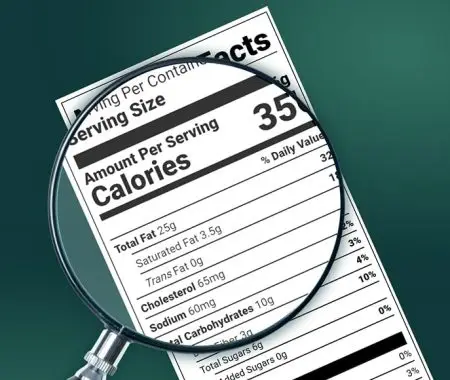
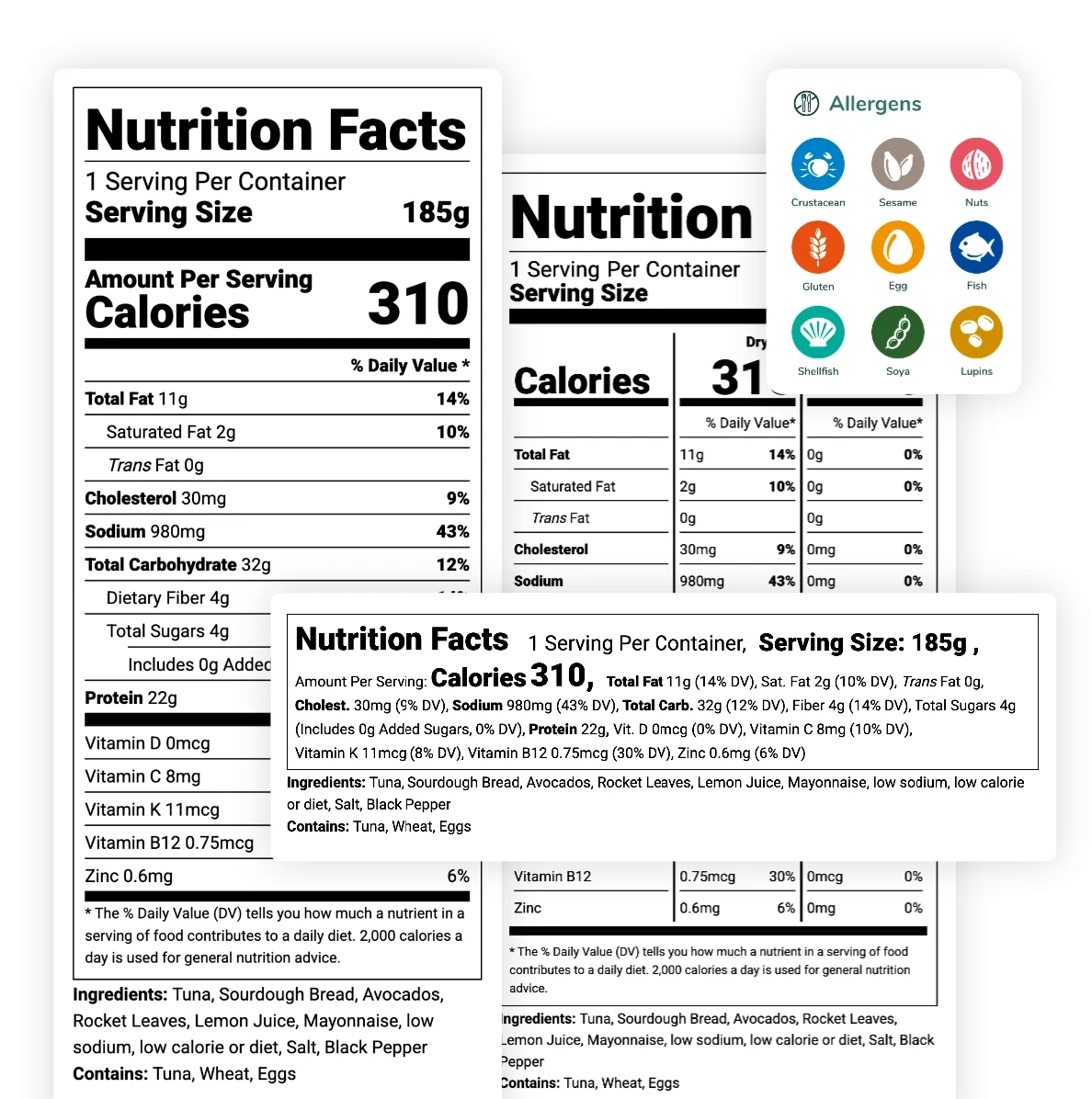
Our FDA nutrition facts software makes it easy for you to comply with complex food labeling regulations in the United States.
You’ll also get access to plenty of other features, including automated allergen detection and a verified database of over 500,000 ingredients.
Let us help you ensure your products are ready for retail shelves.
FDA Nutrition Label Software Trusted By Global Brands




Key Features of Our FDA-Approved
Nutrition Label Software
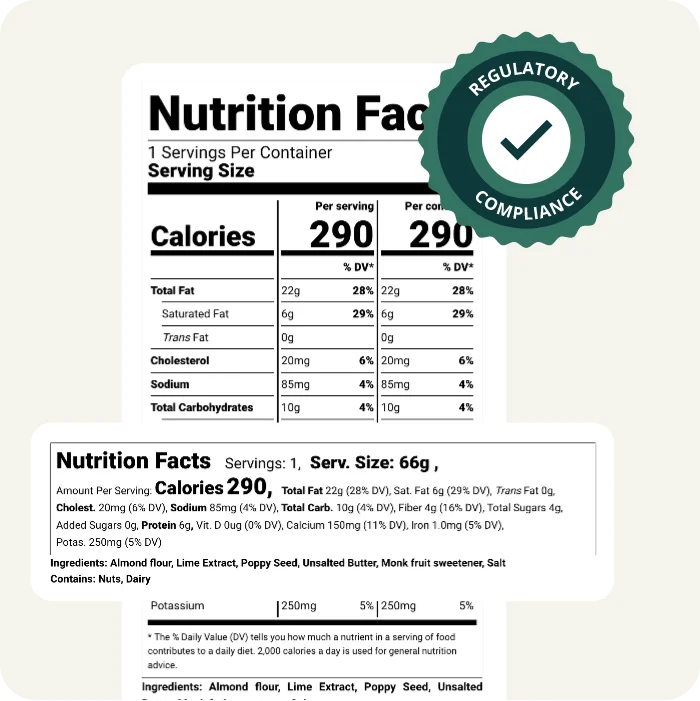
Fully FDA Compliant Nutrition Labels
Adhering to the latest FDA 21 CFR 101.9 guidelines, our tool automates regulatory formatting requirements and delivers accurate nutrition facts through precise, real-time calculations. It also supports CFIA (Canada), Mexico (COFEPRIS), FSA (UK), DG SANTE (EU), Middle East (GSO), and FSANZ (Australia/NZ) label formats.
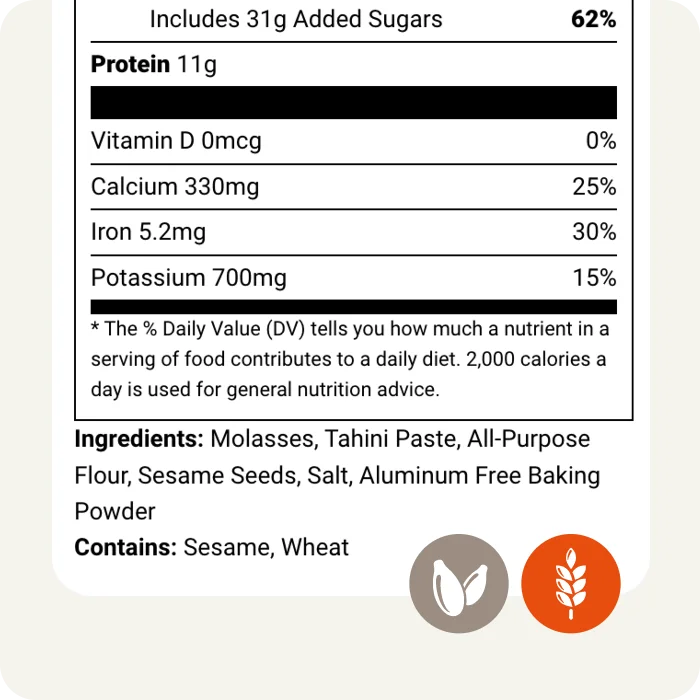
Automated Allergen Detection
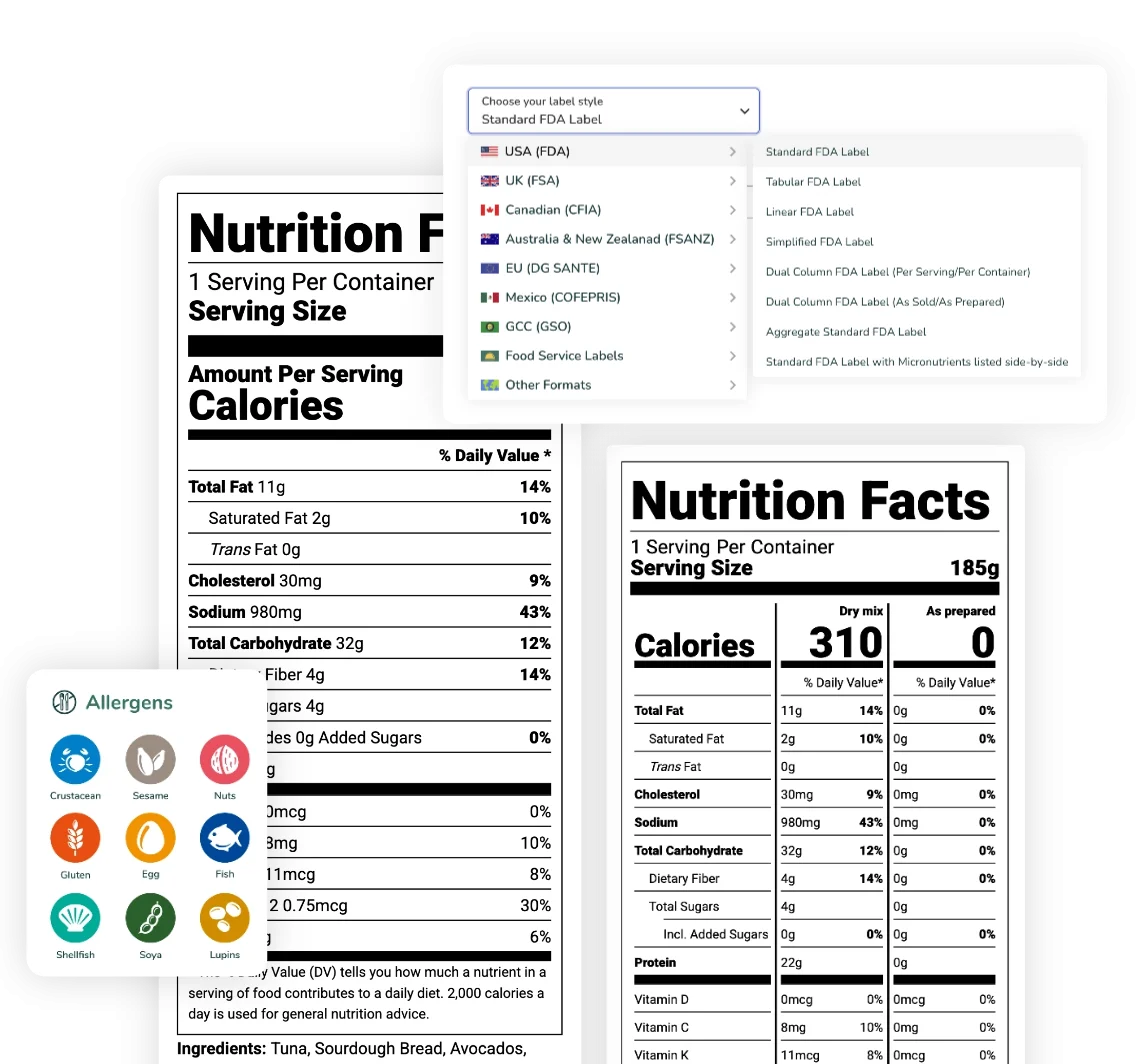
Our FDA nutrition facts software scans your recipes to automatically detect and declare allergens required by FALCPA and the FASTER Act (Sesame). This ensures safety for consumers and compliance for your products.
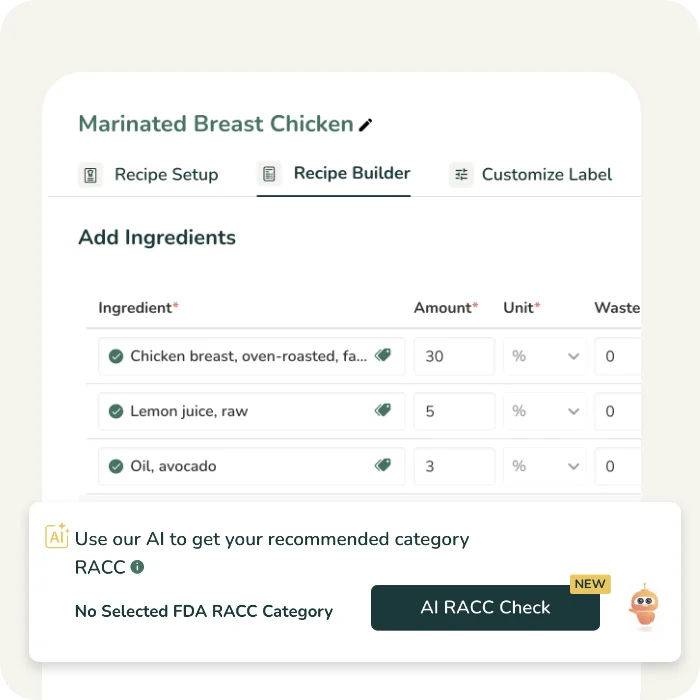
AI-Powered RACC Compliance Check
Eliminate the risk of mislabeling with our AI RACC Check, which automatically identifies and recommends the correct FDA RACC Category for your product. This ensures your serving sizes are compliant and align with official reference amounts.
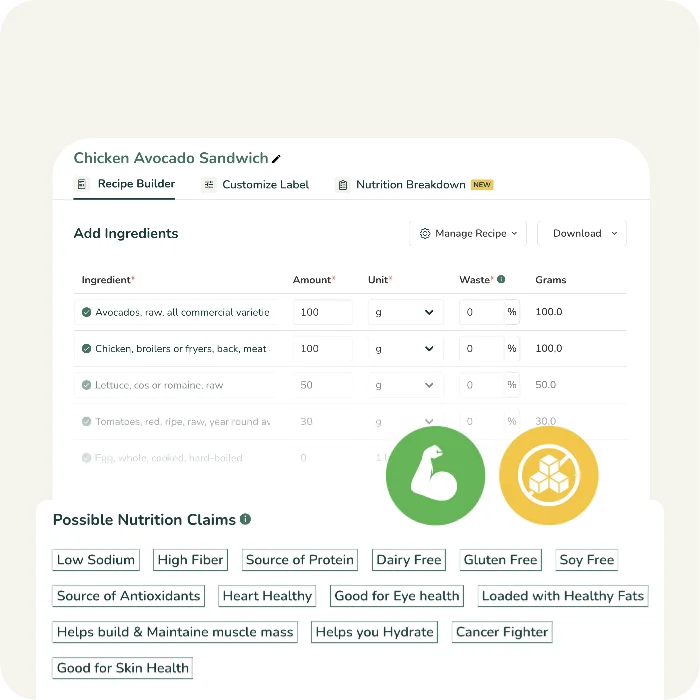
Accurate FDA Nutrition & Marketing Claims
Our algorithm analyzes your recipe against FDA thresholds to suggest approved nutrient content claims (e.g., "Low Fat," "High Fiber," "Good Source of Protein").
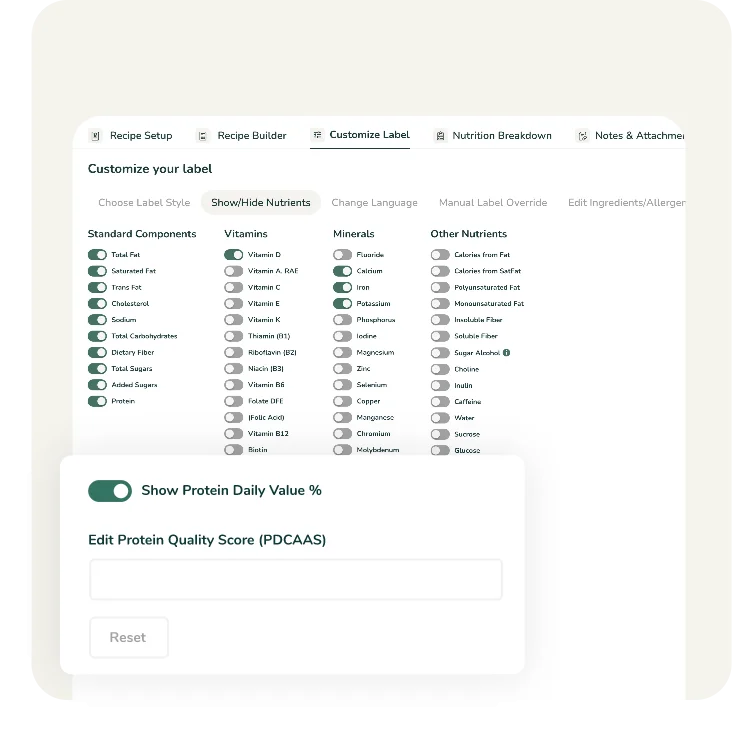
Protein Quality Adjustment (PDCAAS)
Determine your amino acid score, using our in-depth Amino Acids Pattern Report, then correct your Protein %DV using the PDCAAS method (Protein Digestibility Corrected Amino Acid Score), which is a mandatory requirement for making protein claims on U.S. labels.
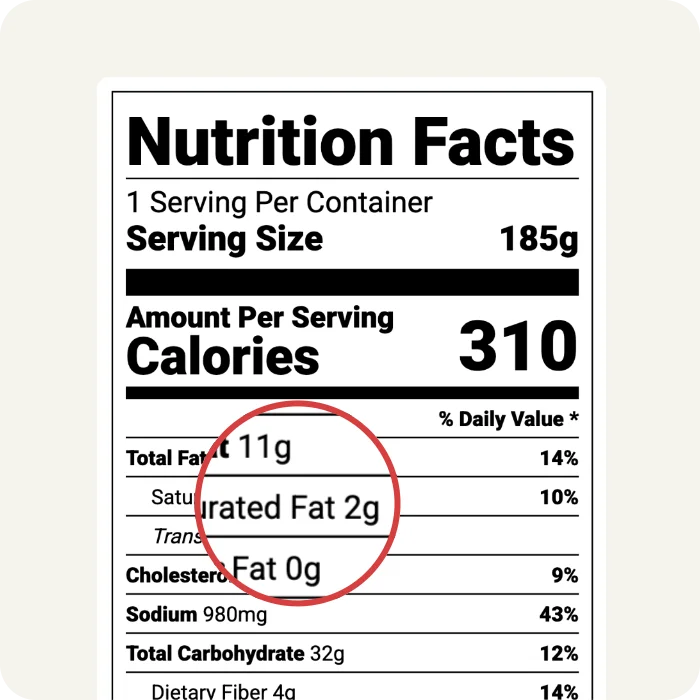
Built-in FDA Rounding Rules
Avoid risky manual rounding in nutrition labelling. Instead, try our software which automatically applies strict FDA rounding rules (e.g., rounding <5 calories to 0, or fat the nearest 0.5g) ensure your final values are audit-proof.
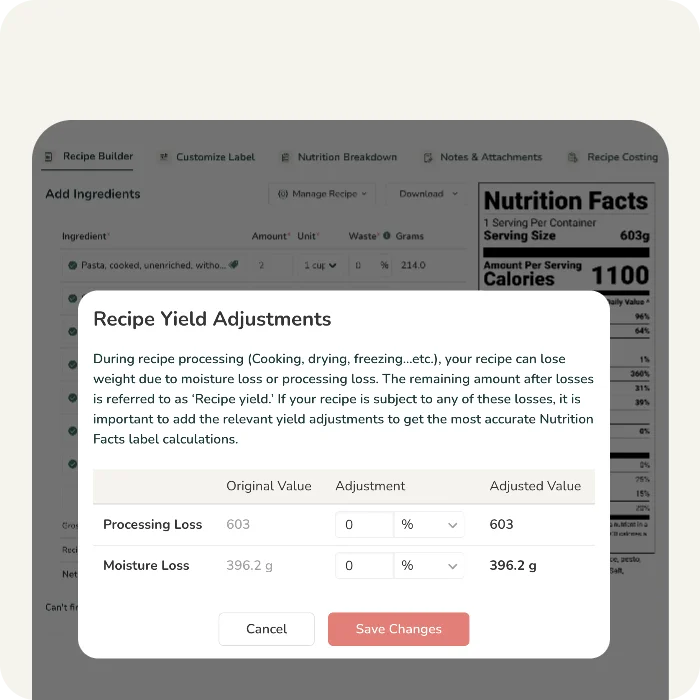
Moisture Loss Adjustments
Automatically calculate nutrient density changes due to cooking, baking, or drying, ensuring your final FDA label values reflect the finished product, not just the raw ingredients.
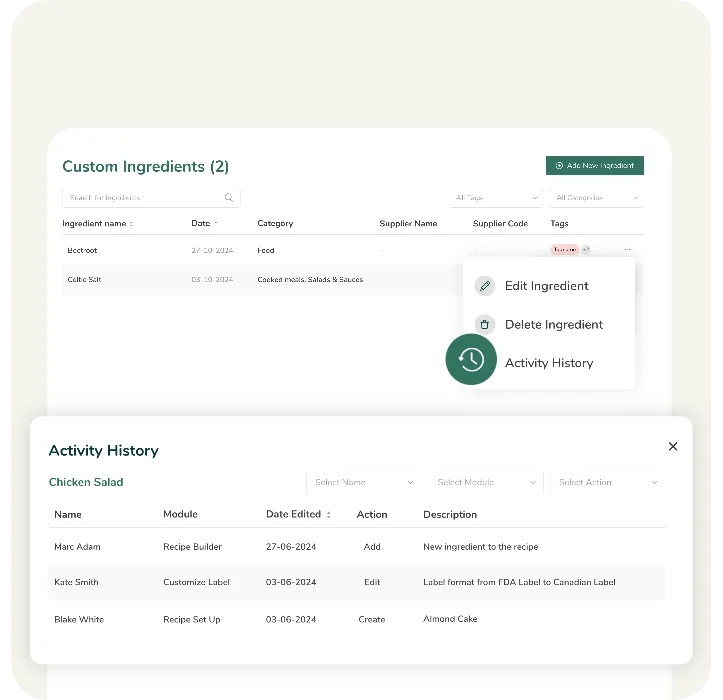
Audit-Ready Activity History
Our software keeps a detailed, time-stamped record of all recipe changes and user updates to maintain strict internal controls for FDA compliance.
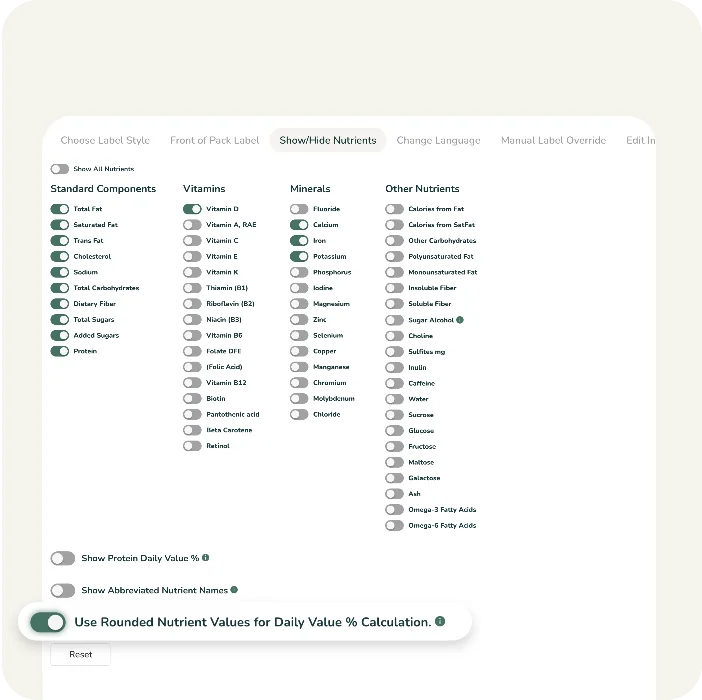
%DV Calculations
Enable %DV calculations using either rounded or unrounded nutrient values, offering flexibility and precision in nutrition label formatting.
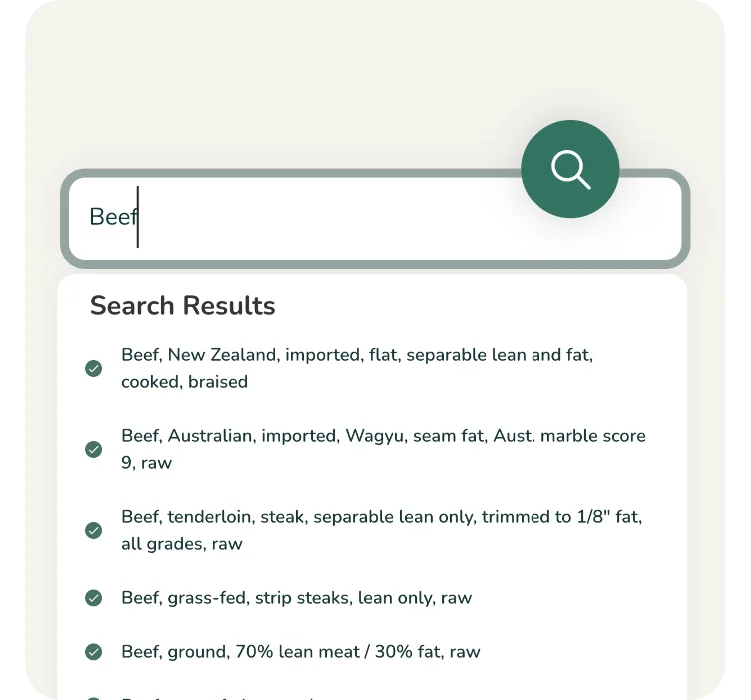
Verified USDA Ingredient Database
Our software has a repository of 500,000+ FDA-approved ingredients, meticulously reviewed by nutritionists to ensure the foundational data for your FDA labels is accurate.
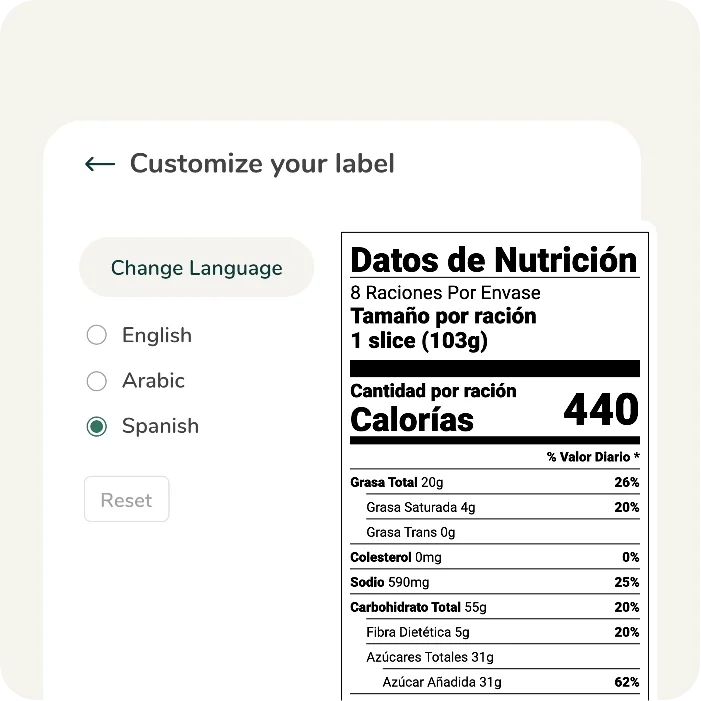
Bilingual Label Support
Our built-in translation feature lets you generate English/Spanish labels with one click to reach a broader U.S. audience.
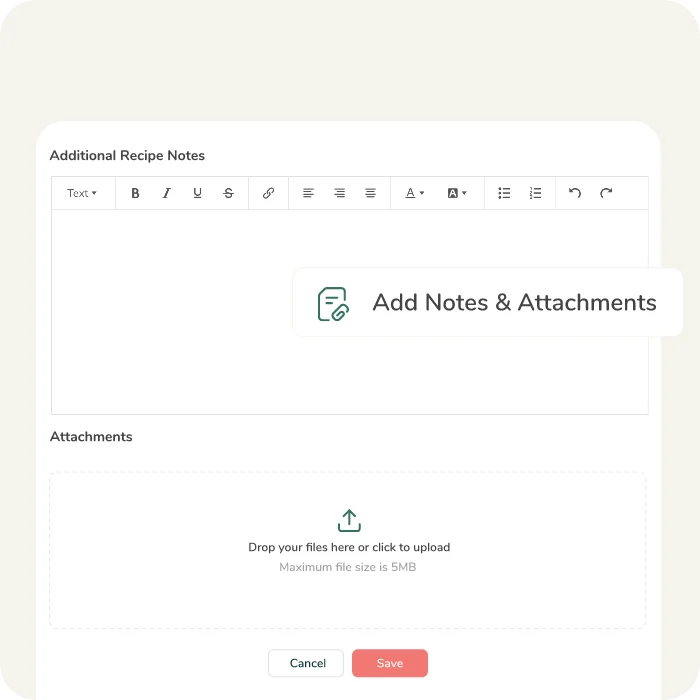
Compliance Notes & Attachments
Attach supplier spec sheets, certifications (Organic, Non-GMO), or production notes directly to your recipes for centralized record-keeping and to store audit-ready FDA compliance information.
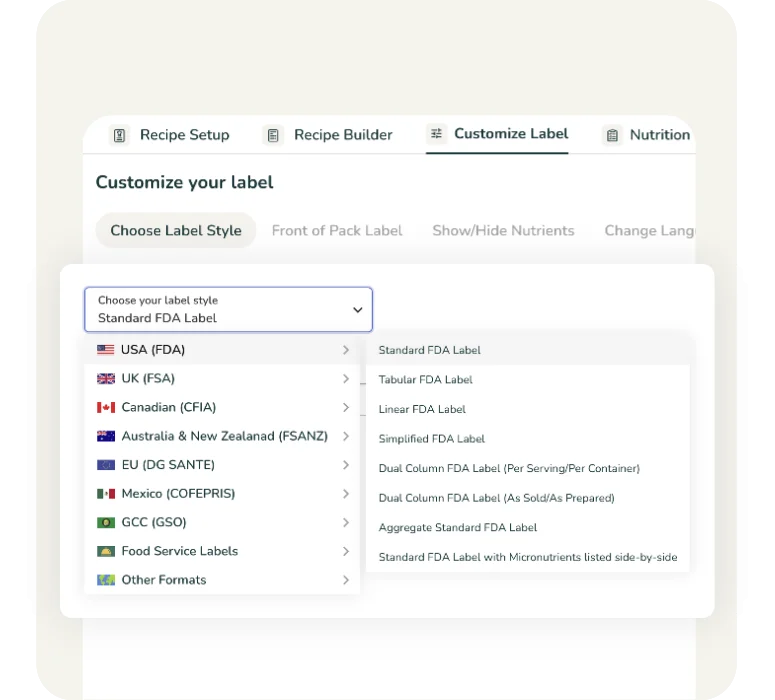
Multiple Mandatory U.S. Label Styles
Generate all FDA-approved formats, including Standard Vertical, Tabular (for wide/short packages), and Linear (for small packages). If you’re a restaurant, cafe, or food service business, our tool also lets you create accurate, compliant menu and buffet labels.
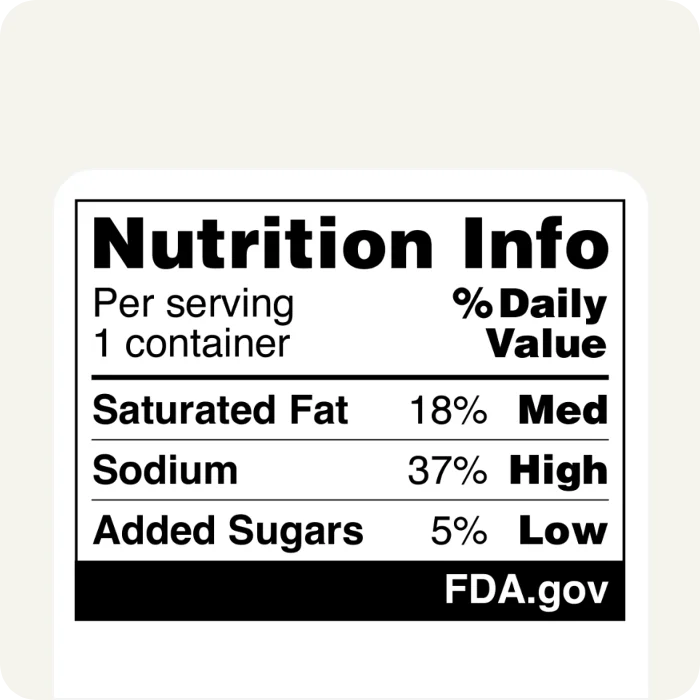
FDA Front-of-Pack Labels
(Coming Soon)
Food Label Maker ensures that we are ahead of the latest FDA regulations. We are developing the FDA's proposed "High In" (Saturated Fat, Sodium, Added Sugar) front-of-package warning symbols for your food packaging.
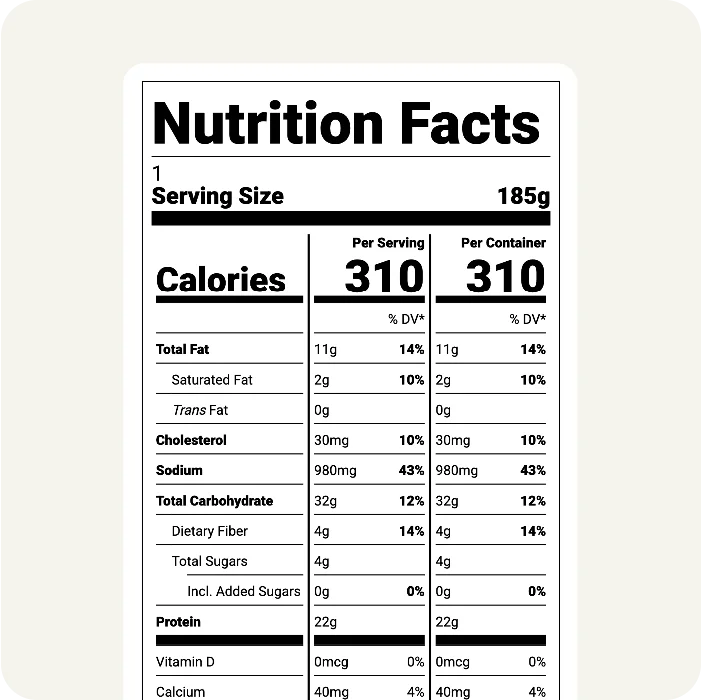
Dual Column Labels
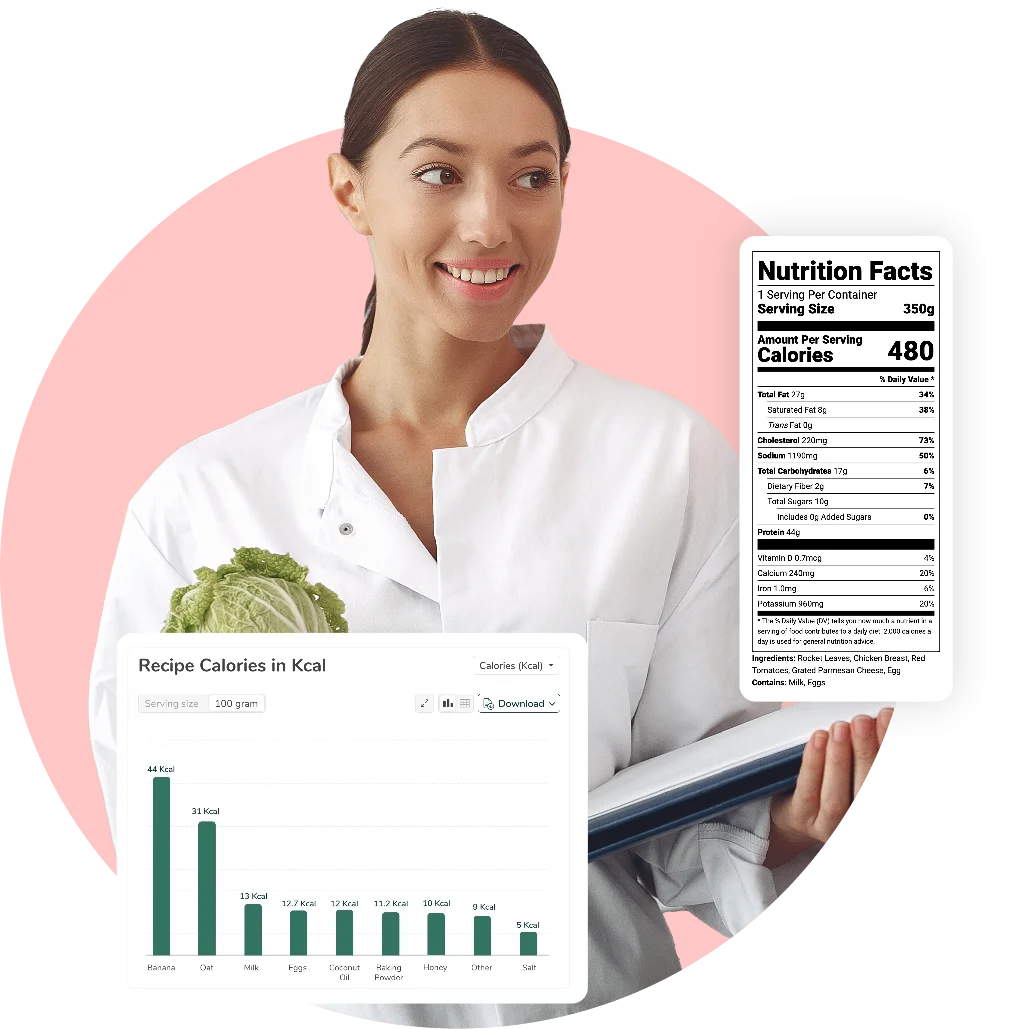
Automatically generate Dual Column labels (Per Serving / Per Container), which are now mandatory for products containing 200–300% of the RACC.
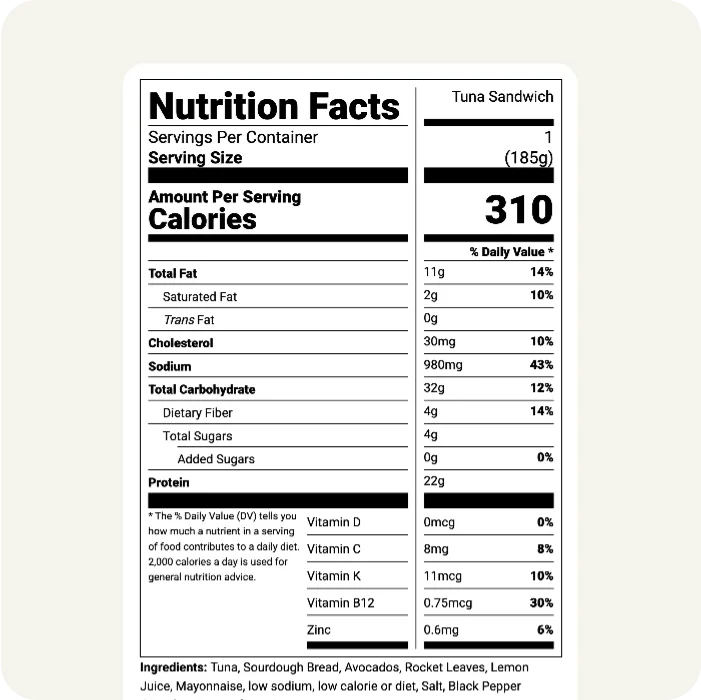
Aggregate Label Format
Create compliant Aggregate Nutrition Labels to display data for multi-component products (like variety packs) in a single modular table.
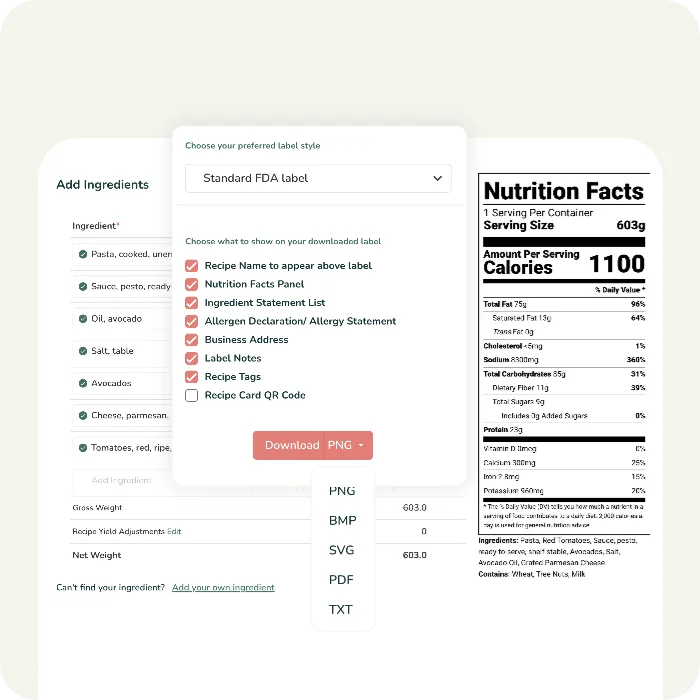
High-Resolution Artwork Exports
Download print-ready files (PDF, Vector SVG, PNG) that are ready for professional printing. Our exports integrate seamlessly with your existing US food packaging layouts and maintain perfect clarity at any scale.
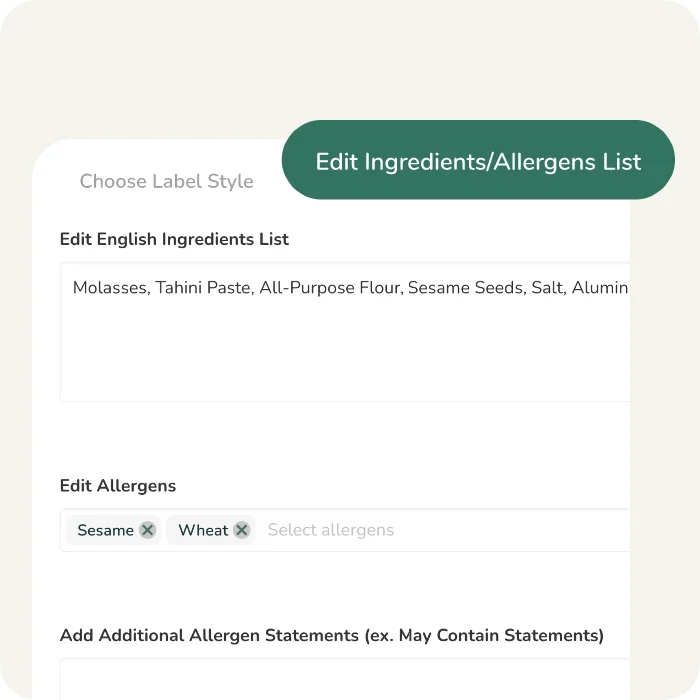
Editable USDA Ingredient Statements
Manually edit ingredient names and allergens to match their "common or usual name" as required by FDA regulations, or regroup sub-ingredients for clarity.
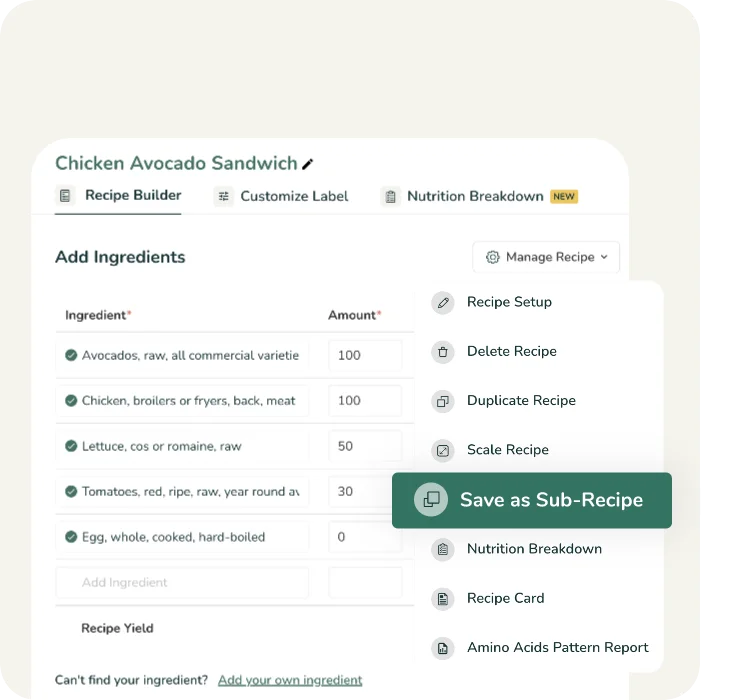
User-Friendly Functionality
Quickly search ingredients, create sub-recipes (like doughs or sauces), and assemble full formulas in minutes. Our platform is designed for immediate productivity, with a clear and logical workflow that requires no specialized training or technical background.
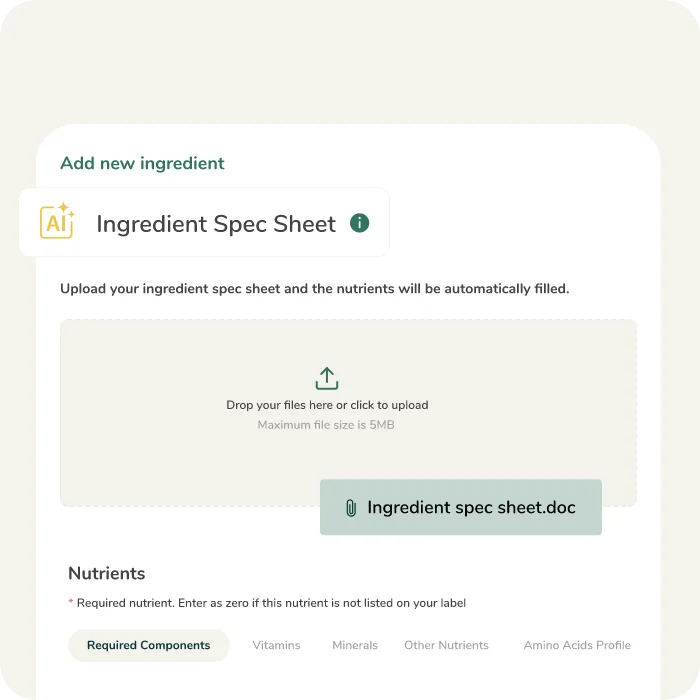
AI-Enabled Spec Sheet Parsing
Simply paste a supplier spec sheet into our tool, and our AI will extract the nutrient data to create a custom ingredient automatically.
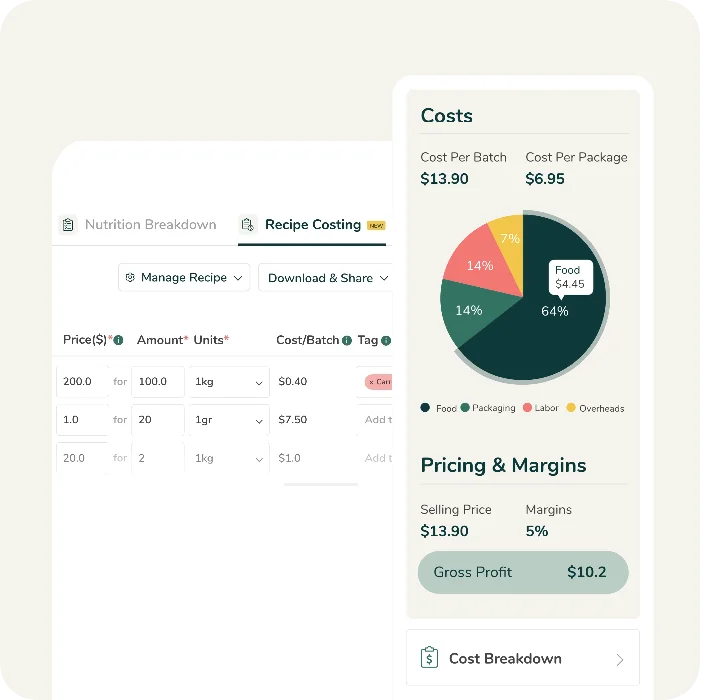
Recipe Costing
Calculate the exact cost of goods sold (COGS), including ingredients, packaging, and labor to determine your optimal U.S. retail price.
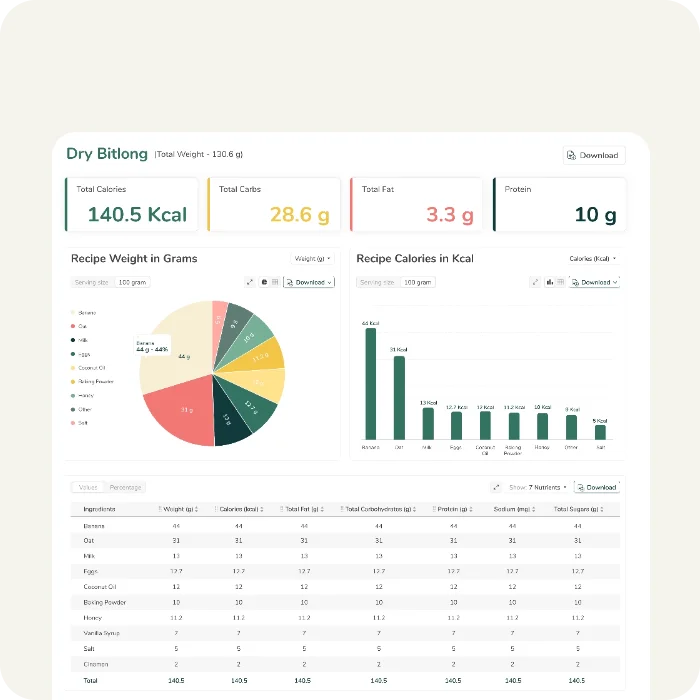
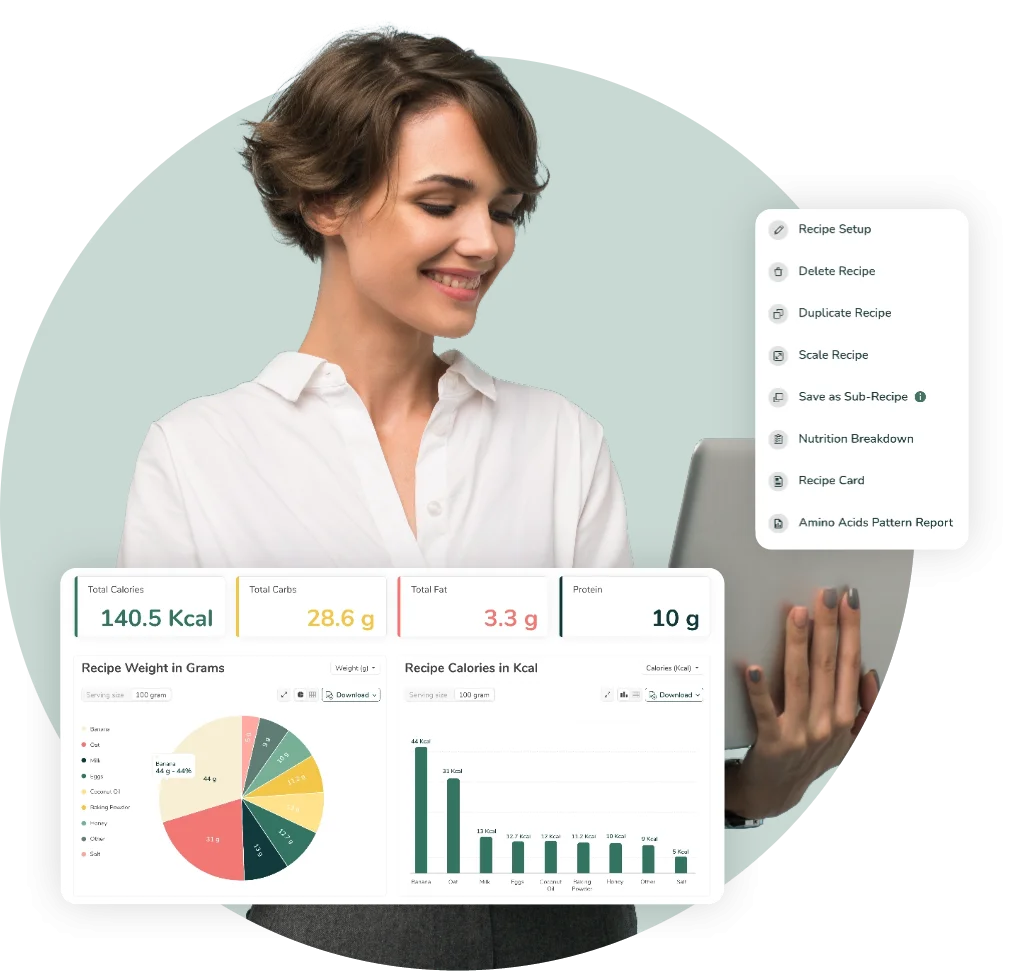
Detailed Nutrition Dashboards
Get in-depth analysis of which ingredients contribute the most to nutrients of concern, such as Added Sugars or Sodium so you can confidently reformulate before labeling.
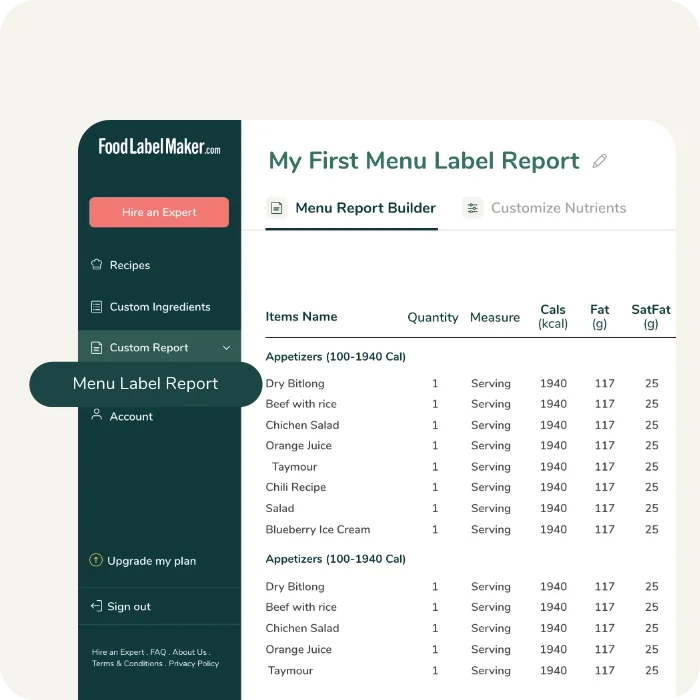
Menu Label Report
View nutritional breakdowns and information for multiple recipes in one comprehensive report. Access a complete breakdown of macros, vitamins, and minerals, and customize the display by choosing which nutrients to show or hide.
Free FDA Nutrition Label Generator
Our free FDA nutrition label generator allows you to create a basic nutrition label and get a feel for the accuracy and user-friendliness of our FDA nutrition facts software.
Once you have experienced the free trial, view our pricing plans to unlock the full professional suite of features. You’ll gain access to recipe-based analysis, a verified database of 500,000+ ingredients, custom FDA label formats, and automated allergen detection to streamline your entire production line.
See How Our FDA
Nutrition Label Maker Works
Food Label Maker’s Additional Services
Hire a Labeling Consultant with FDA Knowledge
Our certified regulatory experts serve as your safety net against FDA warning letters and recalls. We validate your nutrition facts labels for you, freeing up your team and eliminating the risks of non-compliance.
We meticulously audit your label’s nutritional values, formatting, and ingredient lists specifically against FDA 21 CFR 101.9 standards. This ensures that your product is 100% audit-ready for U.S. retail shelves.
Hire a Specialized FDA Nutritionist
Ensure your recipes and nutrition facts adhere to strict US regulatory standards before you go to market.
Whether you are targeting specific FDA nutrient content claims or optimizing recipes for a better nutritional profile, our experts verify that your analysis fully supports your declarations.
Supplement Facts Labeling Software
Create FDA-compliant Supplement Facts panels with ease. Our tool helps you manage dietary ingredients, calculate % Daily Values, and automatically format your “Other Ingredients” list and allergen declarations. Export high-resolution, print-ready files in just a few clicks.
Formulate your supplement by adjusting ingredient quantities to meet target claims, while advanced features automatically handle overages, moisture loss, and organic percentage calculations for your complex formulas.
Industries Using Our
FDA Nutrition Label Software
Equipped with comprehensive features for label customization and recipe management, our cloud-based FDA nutrition facts solution adapts to the unique operational needs of any business, from local startups to enterprise manufacturing plants.
- Food Manufacturers
- Restaurants & Food Service
- Hospitals & Healthcare
- Meal Plan & Meal Kit Subscription Services
Food Manufacturers
Accelerate your transition from production to the retail shelf. Expanding into mass retail requires strict adherence to FDA packaging laws, which can often become a bottleneck for growing brands.
Our FDA nutrition label generator eliminates this friction by allowing you to instantly convert raw recipes into audit-proof label files. By streamlining your R&D process and managing version control for hundreds of food products in one place, we help you clear regulatory hurdles effortlessly so you can launch your products faster.

Restaurants & Food Service
Simplify FDA menu labeling with our intuitive FDA nutrition label generator. It automates the tedious process of calculating calories and allergens for seasonal menus, ensuring your digital boards and printed materials are always accurate.
Transparent nutrition labeling is a powerful asset for any food service business. Food Label Maker’s intuitive software allows you to meet the demands of health-conscious diners and regulators alike, without compromising your culinary operations.

Hospitals & Healthcare
Ensure patient safety and compliance with precise, centralized menu management software. Our software empowers dietitians to build therapeutic menus (Renal, Cardiac, Diabetic) with exact nutrient targets.
For healthcare providers, our tool flags allergens automatically for immunocompromised patients and generates clear, easy-to-read tray labels that reduce the risk of errors, all while streamlining workflows between culinary and clinical teams.
Meal Plan & Meal Kit Subscription Services
If your business’s meal kit menu rotates weekly, manual labeling is close to impossible. Food Label Maker’s software is designed to handle this high velocity, allowing you to bulk-print compliant labels for thousands of meals instantly.
By automating allergen detection and declaring accurate nutrition claims on every new dish you create, we ensure that your subscribers are protected and your operations remain FDA-compliant.
Practical Compliance Guides &
Food Labeling Tips
Decipher U.S. food packaging laws with ease. Visit our Blog and Regulatory Hub for expert advice on FDA nutrition labeling, breaking industry news, and step-by-step tutorials designed to simplify your journey to the retail shelf.
Hear From Our Customers
Build Your Ideal
FDA Nutrition Label
Format Today
Frequently Asked Questions About
FDA Nutrition Labeling Software
01
What are the FDA food labeling requirements?
The FDA requires most packaged foods to display five mandatory label components to ensure consumers have accurate information about what they are eating.
These components must be placed on specific parts of the package, such as the Principal Display Panel (PDP) or the Information Panel, and must meet strict font size and legibility rules.
- Statement of Identity: The common name of the food (e.g., “Tomato Soup”).
- Net Quantity of Contents: The amount of product in the package (by weight, measure, or count).
- Nutrition Facts Label: The chart showing calories, nutrients, and serving size.
- Ingredient List: A list of ingredients in descending order of predominance by weight.
- Identity of Manufacturer: The name and address of the manufacturer, packer, or distributor.
Beyond these basics, specific formatting and safety declarations are also required:
- “Dual Column” format: This applies to food packages that contain 200–300% of a single serving, ensuring consumers understand the nutritional impact of eating the whole package at once.
- Allergen Declarations: You must declare the presence of major allergens (including Sesame, effective 2023) either in the ingredient list or in a separate “Contains” statement.
- English Language: All mandatory information must appear in English (unless distributed solely in Puerto Rico).
- Prominence % Transparency: Regulatory information must be prominent enough to be read by the ordinary individual under customary conditions of purchase.
Create a free FDA-compliant label now to see how our nutrition label generation software automatically places these mandatory elements for you, or read our helpful guide on The Fundamentals of Food Product Labeling and Packaging.
02
What does not need to be on an FDA-compliant food label?
While the FDA has strict requirements for nutrition and safety data, several common label elements are actually voluntary or regulated by other entities, not the FDA.
These include:
- Expiration or “Best By” Dates: With the exception of infant formula, the FDA does not require specific expiration, “use by,” or “best before” dates. These are typically added voluntarily by manufacturers to indicate freshness.
- Barcodes (UPCs): Universal Product Codes are required by retailers for inventory tracking, but they are not mandated by federal FDA labeling laws.
- “Non-GMO,” “Organic,” or “Gluten-Free” Logos: Unless you are making specific claims that require substantiation, third-party certifications and marketing badges are optional.
- “Calories from Fat”: This line was removed in the 2016 regulatory update because research shows the type of fat is more important than the amount.
- Vitamins A & C: Deficiencies in these vitamins are now rare in the US, so they are no longer mandatory on the Nutrition Facts panel (unlike Vitamin D and Potassium, which are now required).
Create a free FDA-compliant label with Food Label Maker’s software to ensure your label covers all mandatory elements required by the FDA.
To learn more about food labeling requirements, read our helpful guide on The Fundamentals of Food Product Labeling and Packaging or explore our Regulatory Hub for more FDA food labeling news.
03
Why do the FDA and USDA regulate food labels?
- The FDA and USDA regulate food labels to protect public health and ensure fair trade practices. Their primary goal is to prevent misleading claims and to provide consumers with the factual information needed to make informed dietary choices. By standardizing how calories, fats, and allergens are reported, these agencies help consumers manage chronic diseases (like diabetes or heart disease) and avoid safety hazards.While the FDA regulates the majority of packaged foods, the USDA specifically oversees meat, poultry, and egg products. Both agencies enforce the Fair Packaging and Labeling Act (FPLA) to ensure that value comparisons can be made between competing products.
Read our helpful guide on The Latest FDA Compliance Program Updates to determine whether your nutrition label is up to date or generate an FDA label for your food products.
04
What is the FDA definition of the healthy food label?
In 2025, the FDA’s definition of the “healthy” nutrient content claim was updated
to align with current nutrition science. To voluntarily use the word “Healthy” on your packaging, your food product must now meet two main criteria:
- Food Group Equivalent: The product must contain a meaningful amount of food from at least one of the recommended food groups (fruit, vegetable, dairy, grain, or protein).
- Nutrient Limits: The product must adhere to strict limits on added sugars, saturated fat, and sodium.
This update replaces previous rules that focused solely on total fat levels, allowing nutrient-dense foods like salmon, avocados, and nuts—which were previously excluded—to now qualify as “healthy”.
Speak to one of our experts for advice on “healthy” claims on your food products, or try out our software to see how our nutrient analysis tool instantly checks if your recipe qualifies for the new FDA “Healthy” claim.
05
How do you read Added Sugars on an FDA nutrition label?
- The “Added Sugars” line is indented under “Total Sugars” as a way to show consumers how much sugar was added during processing versus how much occurs naturally (like lactose in milk or fructose in fruit). The word “Includes” before the Added Sugars value means that the added amount is part of the Total Sugars, not separate from it.For example, if a yogurt label says “Total Sugars 15g” and indented below it says “Includes 7g Added Sugars,” this means the yogurt has 8g of natural milk sugar and 7g of added sweeteners. The FDA recommends limiting “Added Sugars” to less than 10% of your total daily calories (50g per day for a 2,000-calorie diet).
For more on this topic, read our helpful guide on How to List Added Sugars on Your Nutrition Facts Label or try out our software to see how it automatically calculates and adds Added Sugar declarations to your label.
06
Why did the FDA change the nutrition facts label?
The FDA updated the Nutrition Facts label to reflect new scientific links between diet and chronic diseases, such as obesity and heart disease. The old label was based on eating habits from the 1970s and 80s, which no longer matched the reality of how Americans eat today.
The new label aims to reflect:
- Realistic Serving Sizes: Serving sizes were increased to reflect what people actually eat, not what they should eat (e.g., ice cream servings increased from ½ cup to ⅔ cup).
- A Focus on Calories: The calorie count is now larger and bolder because it is the most vital data point for weight management.
- Nutrient Updates: “Added Sugars,” Vitamin D, and Potassium are now mandatory because many Americans are deficient in them, while Vitamins A and C are no longer required as deficiencies are rare.
Use our FDA-compliant label generator or explore our pricing plans to see how our tool updates your old labels to match the new 2016 FDA format, or read our helpful guide on What are the New Changes to the FDA Nutrition Facts Label.
07
How do you get FDA approval on a food label?
A common misconception is that you need to send your label to the FDA for approval before selling your product.
The FDA does not pre-approve food labels. It is entirely the manufacturer’s responsibility to ensure their label is compliant with all federal regulations (21 CFR 101.9) before the product hits the shelves.
If your label is found to be non-compliant during a random inspection or after a consumer complaint, the FDA may issue a Warning Letter or mandate a recall. This is why using compliant software or hiring a regulatory consultant is critical for risk management.
Don’t guess at compliance. Create compelling, audit-proof labels today with Food Label Maker’s verified templates. Create a label today or view our pricing plans to get started.
08
How do you read an FDA food label correctly?
To read a label correctly, follow these steps to understand exactly what you are consuming:
- Start at the top: Check the Serving Size and Servings Per Container, as all nutritional numbers below are based on this specific amount.
- Check the Calories: Look for the large, bold calorie amount to understand the energy per serving.
- Use the % Daily Value (%DV) guide: 5% or less is considered “low,” while 20% or more is considered “high.” This helps you quickly determine if the food is high in nutrients you want (like Fiber) or high in nutrients you should limit (like Sodium).
Try our free label generator to see how raw ingredients are automatically converted into a clear, easy-to-read FDA label.
09
How should Nutrition Facts labels be updated when a recipe changes?
Any modification to your formula, whether it’s swapping a supplier, changing an ingredient, or adjusting the cooking process, requires an immediate review of your nutrition label. Even a small change in moisture loss or a sugar substitute can alter the final calorie count and %DV.
Using a dynamic FDA nutrition label generator simplifies this. Instead of recalculating manually, you simply update the ingredient in your recipe builder, and the software automatically regenerates the compliant label with the new values instantly.
Try out Food Label Maker’s software to instantly regenerate your compliant label whenever you tweak a recipe, or read our guide on The Latest FDA Compliance Program Updates to determine whether your nutrition label is up to date.
10
Which kinds of products require FDA compliant food labels?
The FDA requires nutrition labeling for the vast majority of prepared foods and beverages sold in the United States. Common categories include:
- Snack packaging: Chips, nuts, granola bars, and confectionery.
- Drinks: Sodas, juices, flavored waters, and energy drinks.
- Canned & Frozen Goods: Soups, sauces, and prepared meals.
- Baked Goods: Breads, pastries, and cookies.
Some food products are exempt from needing nutrition labels. These include: raw fruits, vegetables and fish, foods in small retail businesses, coffee, tea and some spices and foods sold for immediate consumption (i.e restaurants).
For food businesses and manufacturers, knowing what to label is just as important as how to label. Create an FDA compliant label today with Food Label Maker, or read our comprehensive guide on FDA Labeling Exemptions for small businesses.
11
What are the most common FDA Nutrition Facts labeling violations?
The most frequent violations that trigger FDA warning letters typically fall into three categories:
- Undeclared Allergens: Failing to list major allergens like peanuts, milk, or sesame.
- Formatting Errors: Using incorrect font sizes, failing to bold the “Calories” count, or omitting the mandatory “Added Sugars” line.
- Incorrect Rounding: FDA regulations have strict rules for rounding nutrients (e.g., rounding fat to the nearest 0.5g).
Eliminate the risk of human error with intuitive, compliant label generation software. Food Label Maker’s automated rounding and allergen detection tools ensure your labels are always audit-ready. Create a free label today to see these tools in action.
12
What is an FDA RACC and how does it affect my label?
RACC stands for Reference Amount Customarily Consumed. It is a specific weight or volume determined by the FDA that defines how much of a food people typically eat in one sitting. It affects your label in two ways:
- Serving Size: Your serving size must be based on the RACC, not just an arbitrary amount you choose.
- Dual Column Requirements: If your package contains 200% to 300% of the RACC, you must provide nutrition facts for both “per serving” and “per container.”
Ensure your serving sizes are accurate. Utilize our software to automatically apply the correct RACC for your specific product category, or learn more about RACC with our helpful guide on Decoding Reference Amounts Customarily Consumed (RACC).
13
How often do FDA Nutrition Facts requirements change?
While massive overhauls (like the 2016 MFRPS regulatory update) happen infrequently, the FDA constantly releases new guidance documents, compliance policy guides, and updates to the “Healthy” definition. Keeping track of these shifting standards manually is difficult.
This is a key benefit of cloud-based nutrition labeling tools like the one offered by Food Label Maker. Our software is updated in real-time, granting you instant access to the latest regulatory frameworks. This ensures that every label you generate is built on the most current rules, protecting your business from outdated compliance practices.
Create a free label that automatically adheres to the latest FDA rules, or read through our FDA Regulatory Hub for the most up-to-date industry news.
14
What happens if my Nutrition Facts label is not FDA compliant?
Selling products with non-compliant labels can lead to severe consequences for your business, including:
- FDA Warning Letters: These are public records and can damage your brand reputation.
- Product Recalls: The costly process of removing products from shelves.
- Detainment: Goods may be stopped at the border if you are importing into the US.
- Retailer Rejection: Major retailers may refuse to stock your product if your label does not meet strict verification standards.
Protect your brand by creating audit-proof labels with our verified FDA nutrition label software, or view our pricing plans to find a solution that fits your risk management needs.