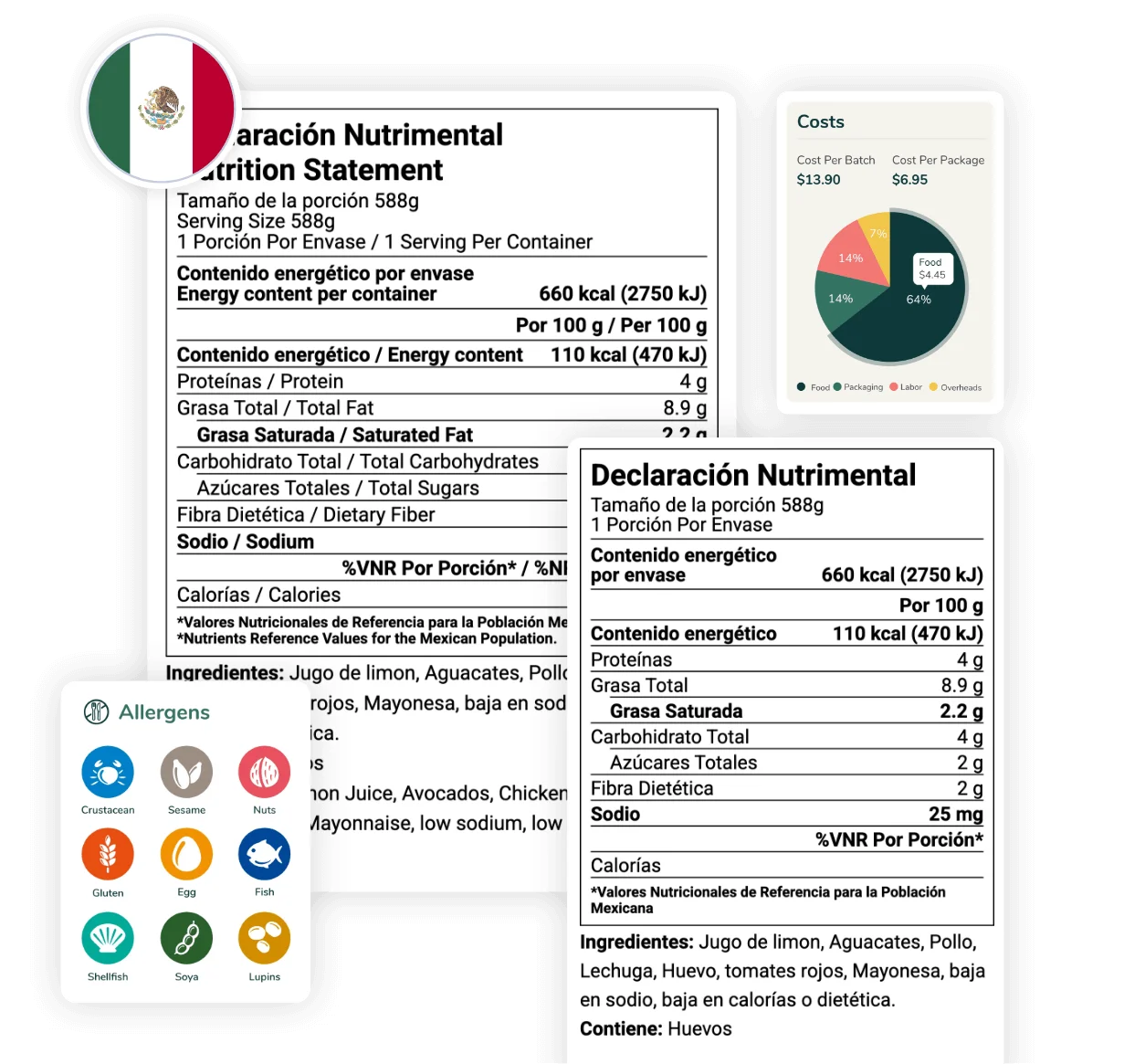
Easy and Compliant Nutrition Label Software
Developed by certified nutritionists, Food Label Maker provides user-friendly software that generates 100% regulatory-compliant nutrition facts labels.
We offer:
- Accurate nutrition analysis
- Customizable nutrition label formats and features
- Comprehensive menu and recipe management tools
- World-class customer support
Food Labeling Software Trusted By Global Brands


Software Benefits
That Scale with Your Business
Our software generates compliant nutrition labels backed by a verified database, ensuring your food products meet global standards. Save time and eliminate manual errors while you focus on growing your operations.

Custom API Integration
Tailor-made API calls enable seamless integration of your platforms with our system, enhancing connectivity and efficiency.

Advanced Security & Privacy
Gain enterprise-grade security with multi-factor and single sign-on authentication, as well as role-based access control.

Tailor-made Features & Reports
Build features, reports, customizations specifically to fit your team’s needs.

Hassle-Free Data Migration
Seamlessly migrate all your existing ingredient and recipe data into our tool, ensuring a smooth transition.
Key Features Of
Our Nutrition Label Software
From recipe costing to allergen tracking, our nutrition analysis software offers a comprehensive suite of tools designed to help food manufacturers and food service providers create accurate nutrition breakdowns and compliant nutrition labels with ease.
Empower your food businesses today.
- Regulatory Compliant Nutrition Analysis
- Easy & Flexible Nutrition Label Customization
- Menu & Recipe Management Tools
Market-Compliant Food Labels
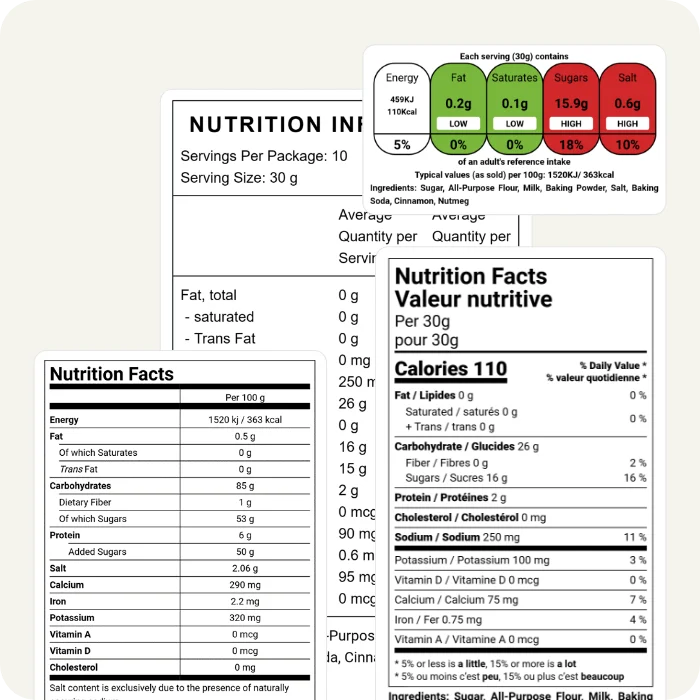
Built on the latest regulatory guidelines released by the COFEPRIS in Mexico, the CFIA in Canada, the FDA in the US, the FSA in the UK, the DG SANTE in the EU, and the FSANZ in Australia & New Zealand.
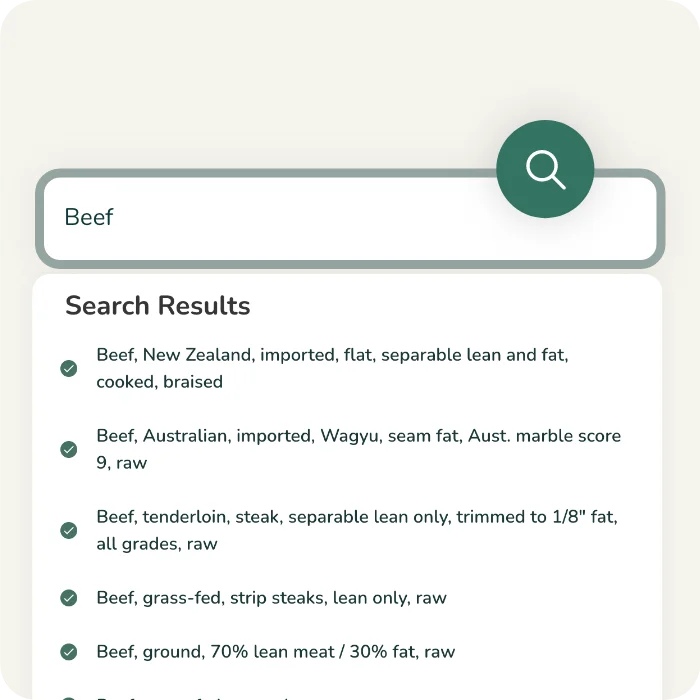
Verified 500,000+ Ingredient Database
Access our ever-growing ingredients database, continuously reviewed and updated by our nutritionists.
Learn more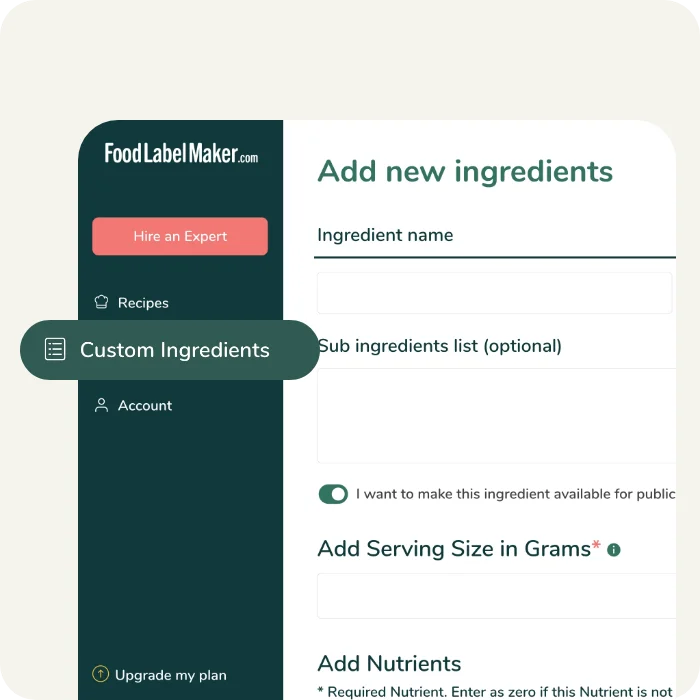
Add Custom Ingredients
Input your own nutritional information and custom ingredients seamlessly into our system, for use in any of your recipes.
Learn more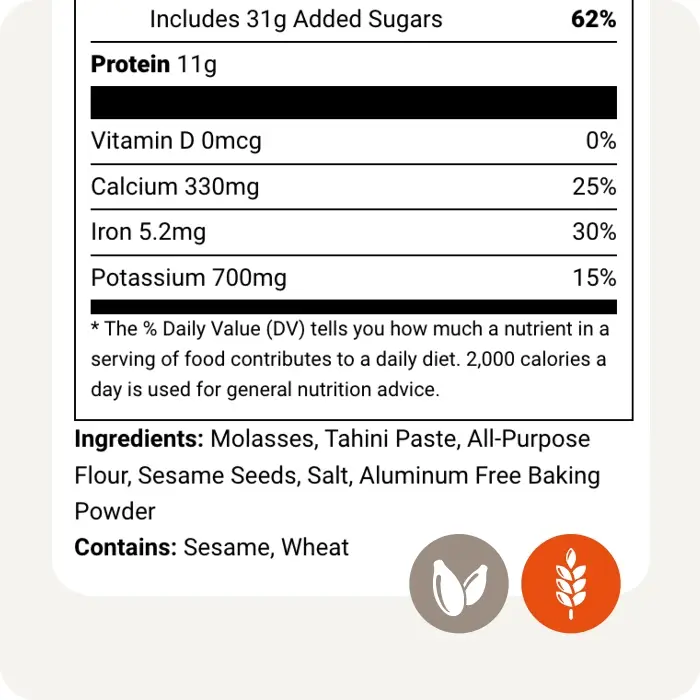
Automated Allergen Identification
Our built-in allergen scanner reads your recipe and automatically identifies the allergens you need to declare on your label.
Learn more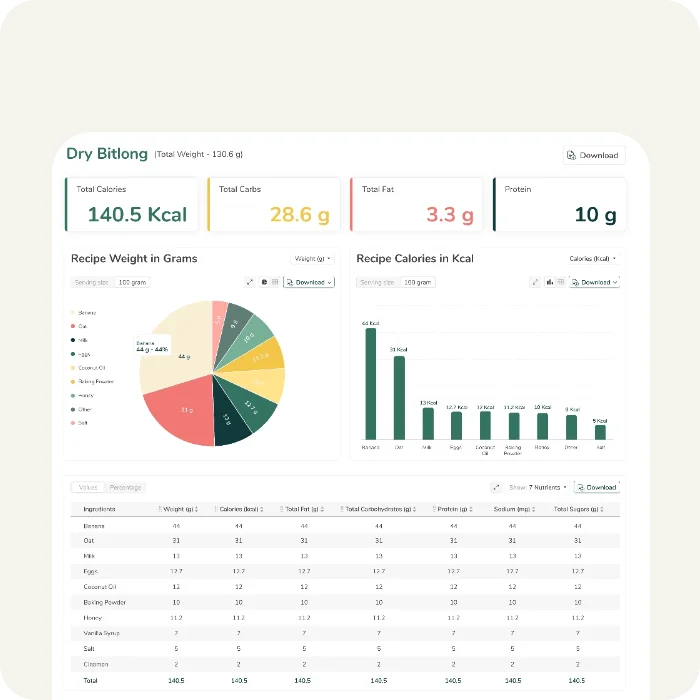
Full Nutritional Analysis & Breakdown
Obtain a comprehensive nutritional analysis of your recipe’s nutrients, vitamins, and minerals. Identify which ingredients contribute to each nutrient and make informed decisions to optimize your recipe’s nutritional profile.
Learn more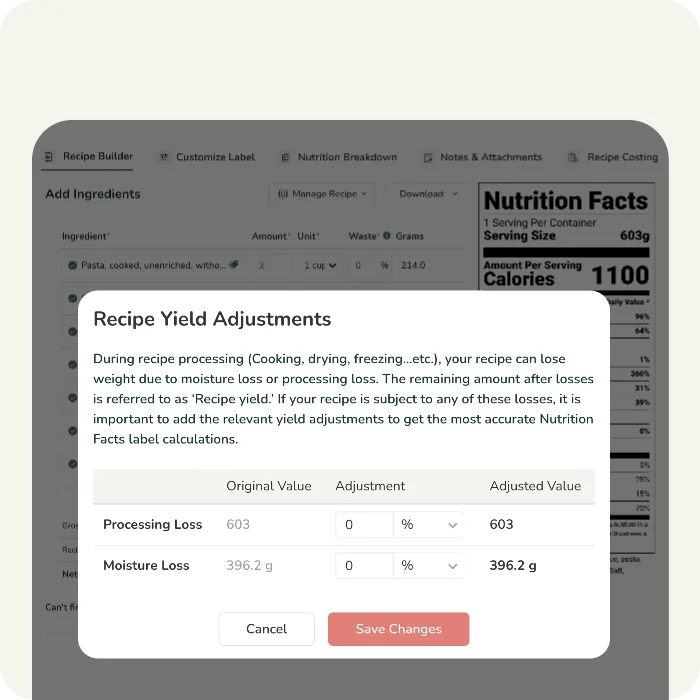
Recipe Yield Cooking Adjustments
Manually adjust your recipe yield to account for moisture loss due to cooking, drying, freezing, etc
Learn more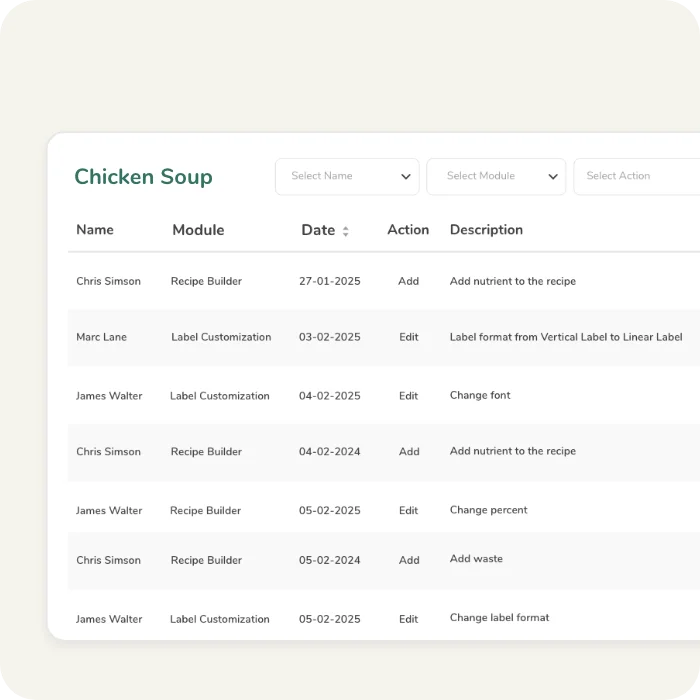
Multiple Users
Access to as many users as your business needs. All users have access to the organization’s ingredients, recipes, and custom setup.
Learn more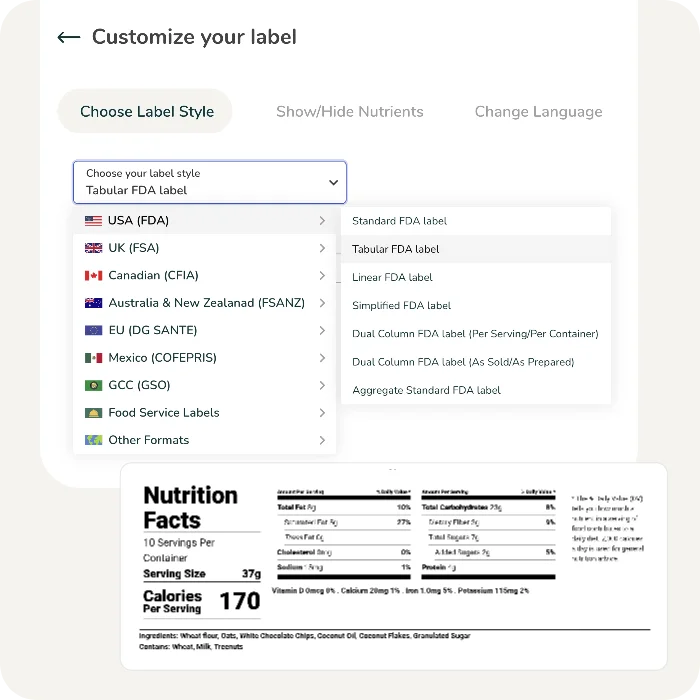
Multiple Nutrition Label Styles and Formats
Choose from over 10 different label formats, including Vertical, Tabular, Linear, Dual Column, Bilingual, Simple, Traffic Light and Front of Pack labels.
Learn more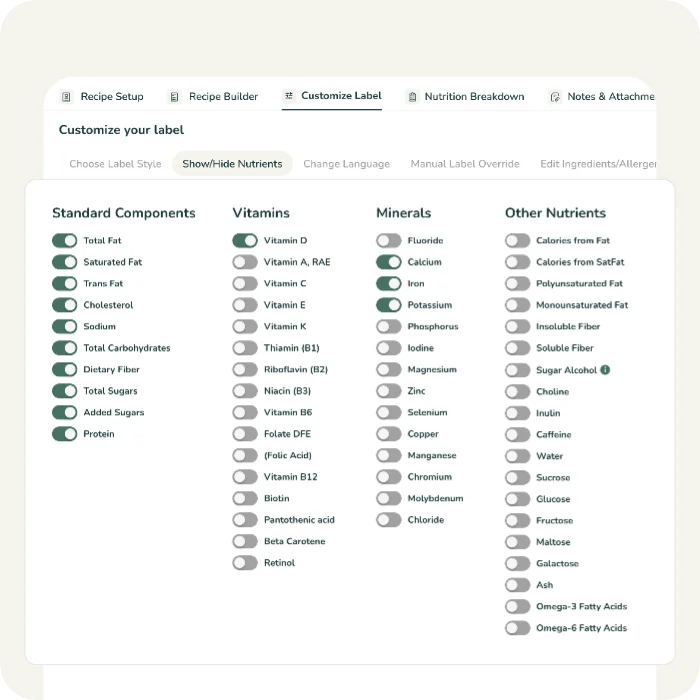
Show/Hide Nutrients, Minerals, & Vitamins
Customize your label by choosing to show or hide any of your nutrients, minerals, or vitamins to meet your customers’ needs.
Learn more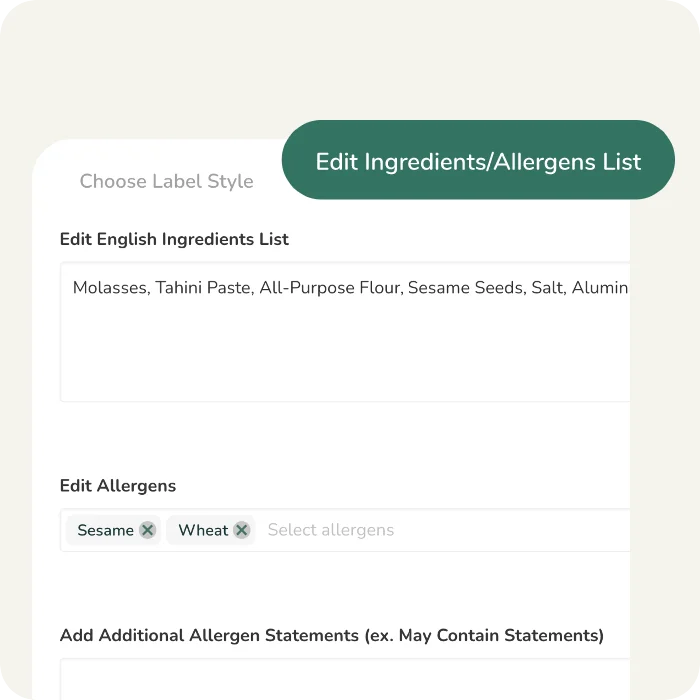
Editable Ingredients and Allergen Statements
Manually edit your ingredients and allergen statements to show your customers exactly what you would like to show them.
Learn more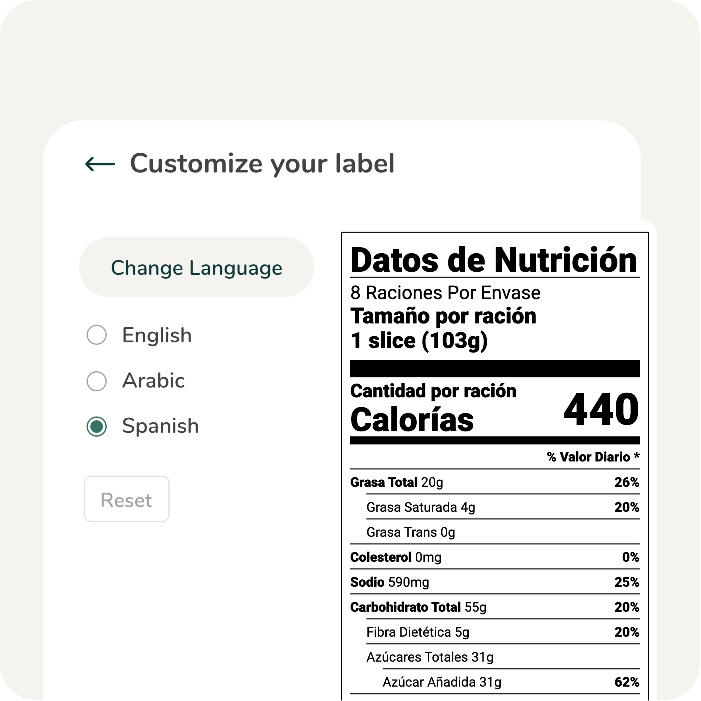
Built-In Language Translation
Translate your labels into Spanish, French, or Arabic with one click.
Learn more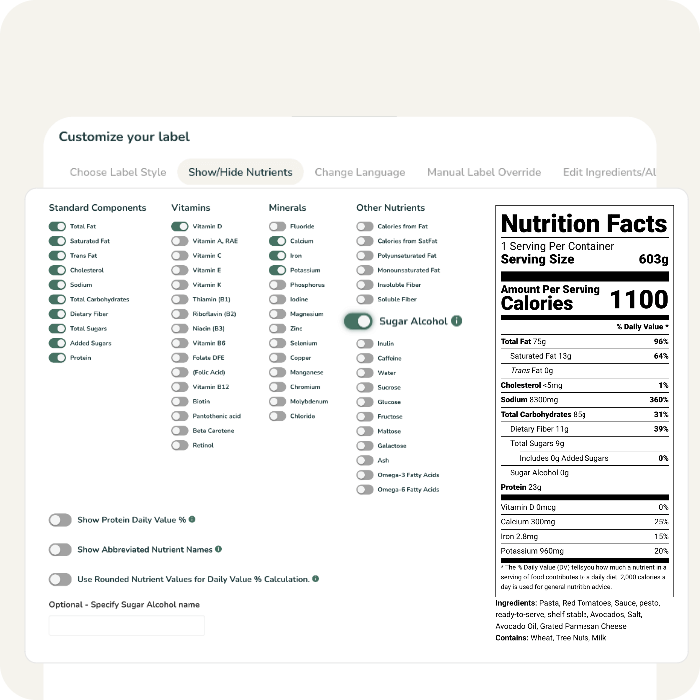
Sugar Alcohols Customization
Customize how sugar alcohols are displayed on your label, especially if you are making a sugar-related claim.
Learn more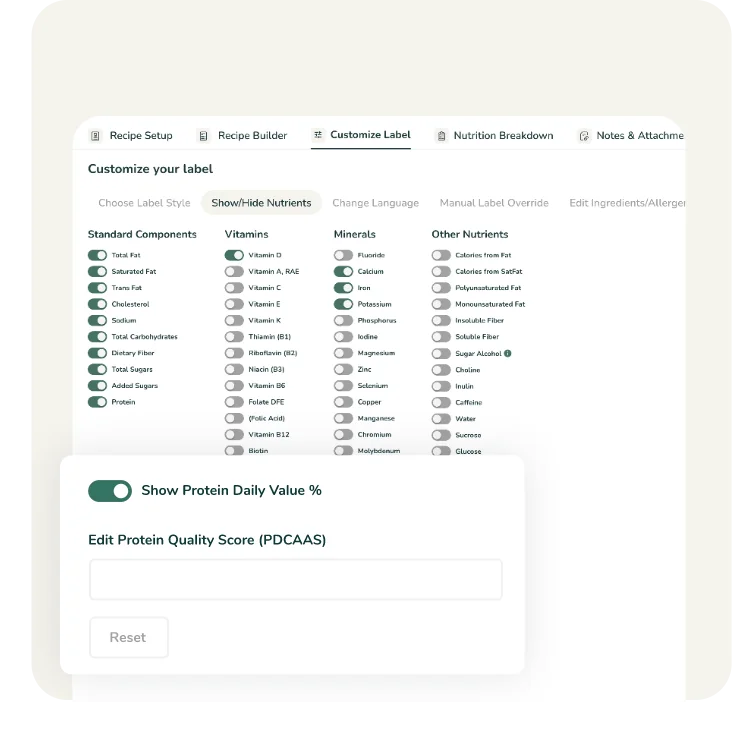
Protein Quality Adjustment
Adjust your protein quality score if you are making a protein-related claim. Use the Protein Digestibility Corrected Amino Acid Score (PDCAAS) to correct your protein daily value percentage.
Learn more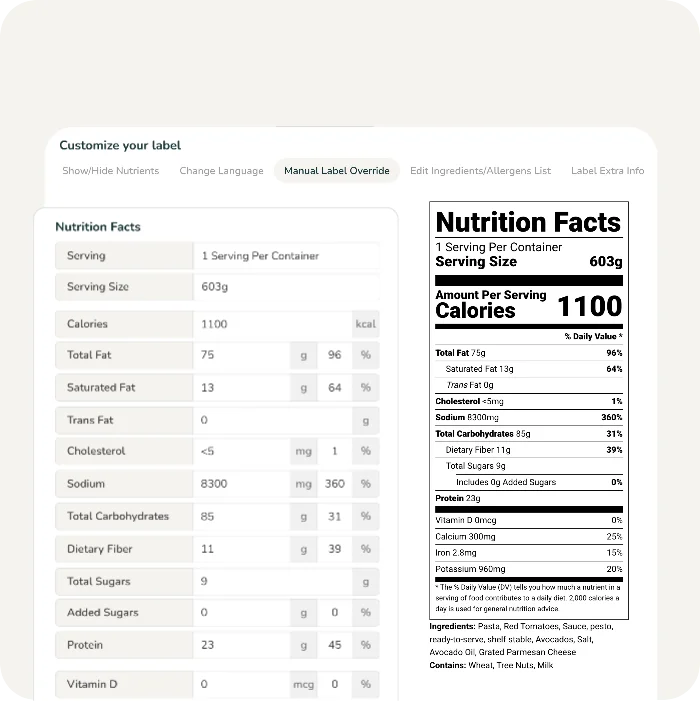
Manual Label Override
Get full control over the nutrition label, allowing you to input and display your preferred values, giving you complete flexibility for making final adjustments to your label. Have full control by fully customizing your nutrition label with this feature.
Learn more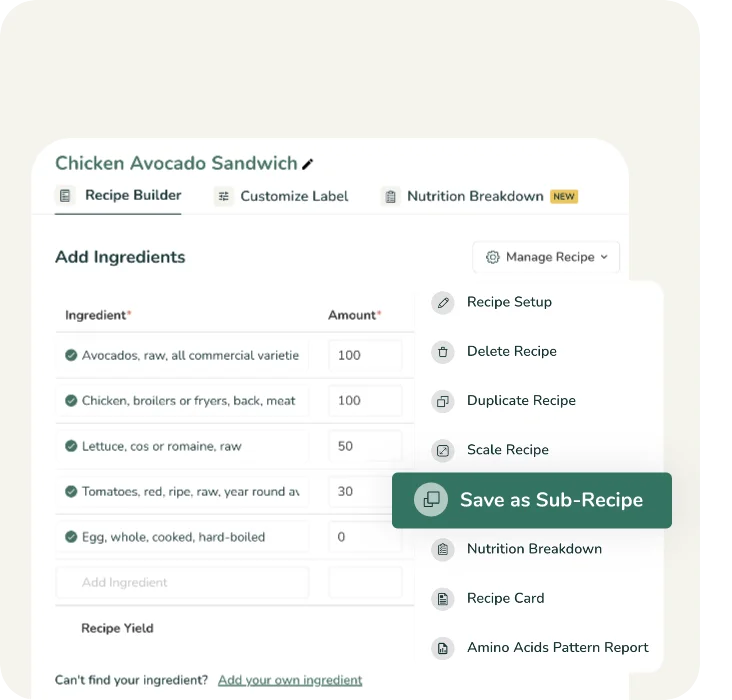
Sub-Recipe Builder Tool
Create and save sub-recipes, and easily insert them into your main recipes with one click.
Learn more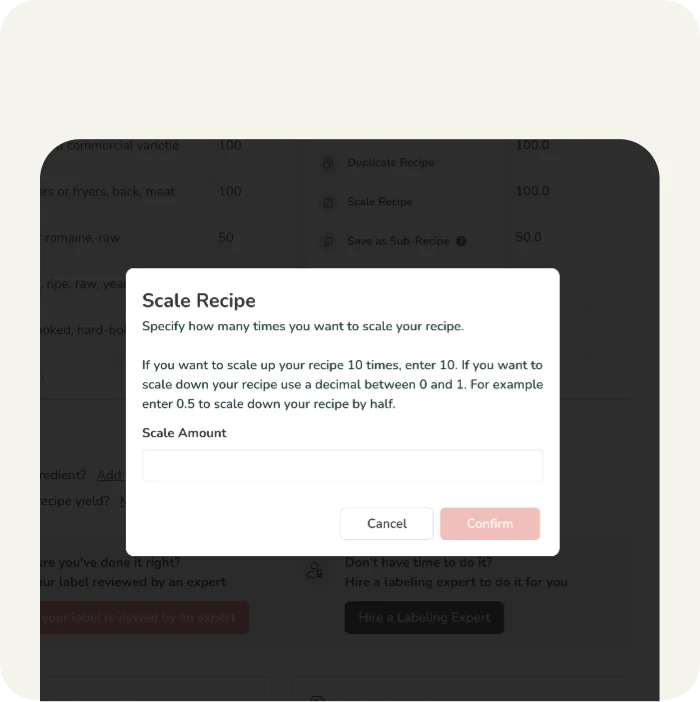
Recipe Scaling Software
Scale your recipe up or down by specifying the scaling factor, and our tool will automatically run the calculations for you.
Learn more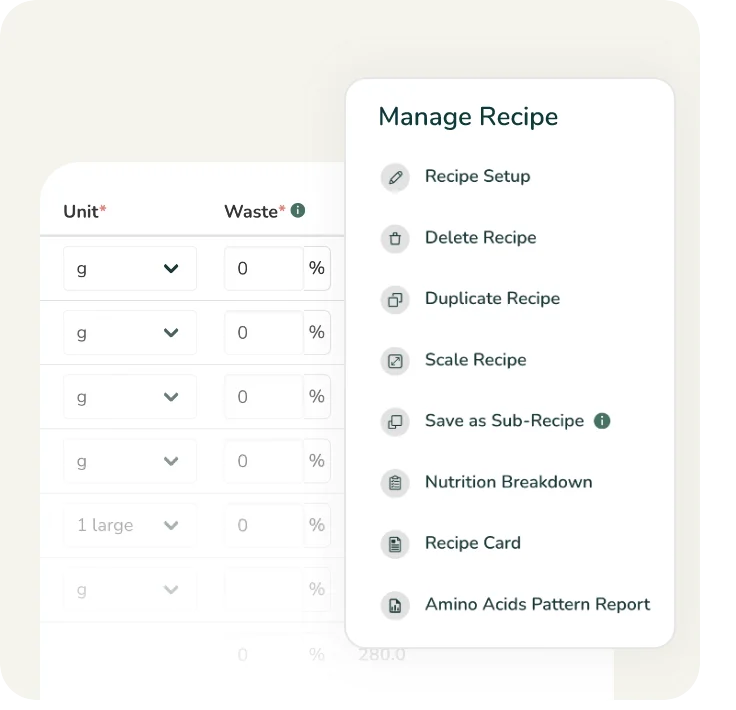
Recipe Management Software
Categorize, duplicate, and scale your recipes with a simple click. Add recipe notes and attachments to manage your menu more efficiently.
Learn more
Unlimited Secure Cloud Storage
Guaranteed unlimited access to your recipes from any device, anywhere.
Learn more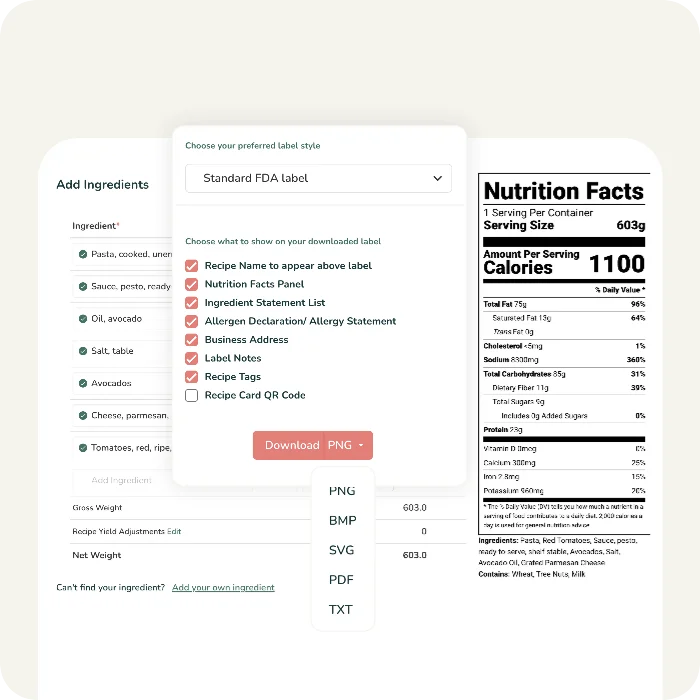
High Resolution Labels for Product Packaging
Download your labels as high-resolution artwork files, such as PDF, Vector SVG, BMP, or PNG, for packaging design.
Learn more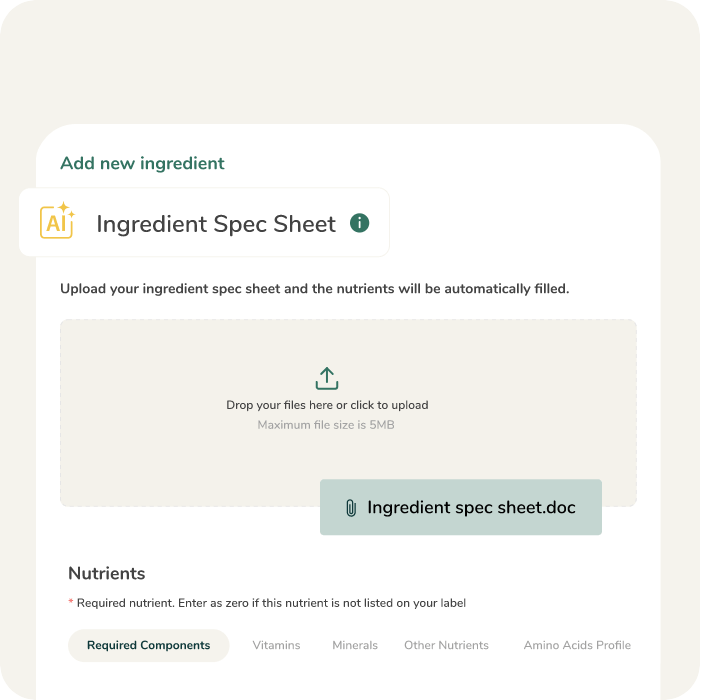
AI-Enabled Spec Sheet Parsing
Simply upload your ingredient specification sheet, and our AI tool will read the nutrients and automatically populate your custom ingredients.
Learn more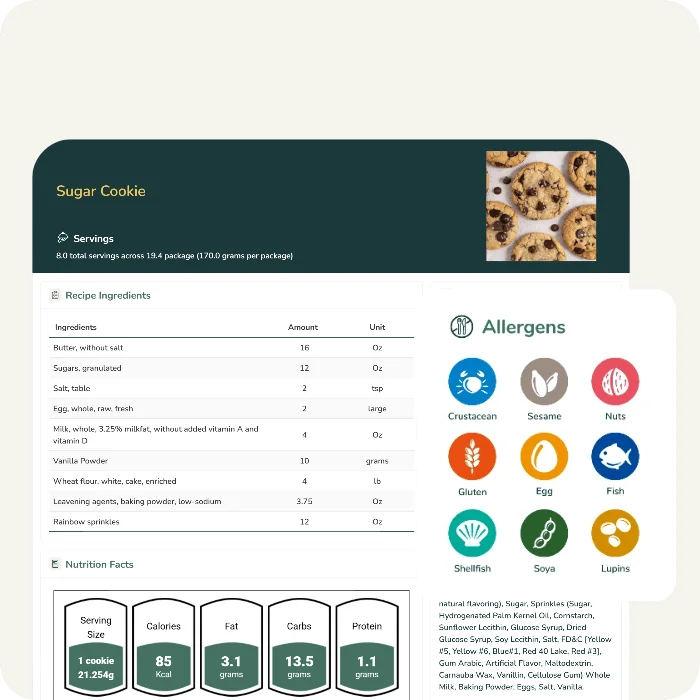
Comprehensive Recipe Cards
Generate and print detailed recipe cards displaying your ingredients, nutrition facts, allergens, cooking instructions, and a picture of the item—an excellent visual aid for your production or kitchen staff.
Learn more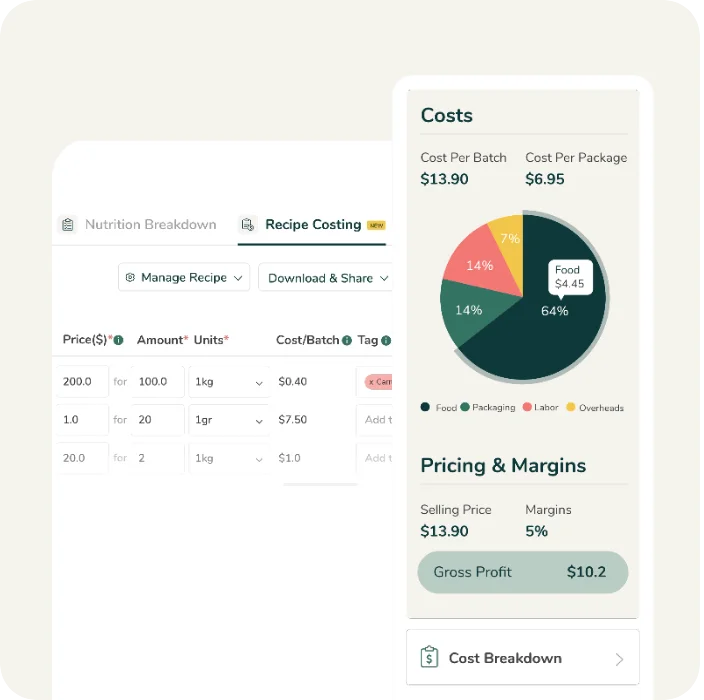
Recipe Costing Tools
Quickly and accurately calculate your recipe costs, including ingredients, packaging, and labor. Determine your optimal selling price, target profit margins, and gross profit with ease.
Learn more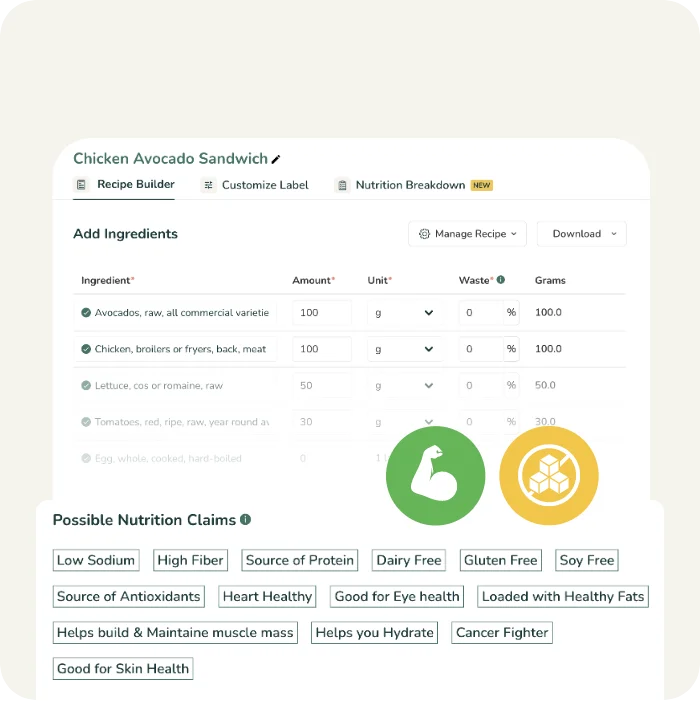
Suggested Nutrition & Marketing Claims
Our unique nutrition algorithm scans your recipe and suggests possible marketing and nutrition claims you can make based on the latest regulatory requirements in your market.
Learn more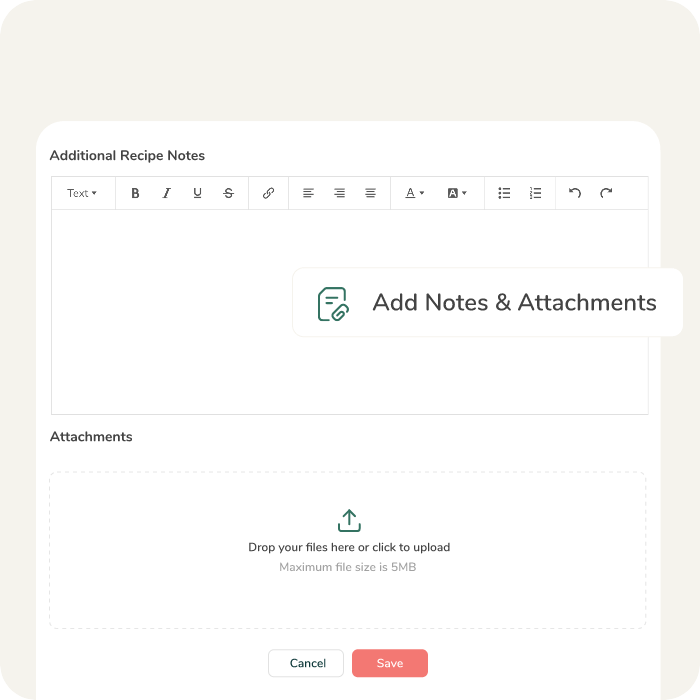
Notes & Attachments
Add custom notes and attachments, such as recipe cards & ingredient specification sheets, to your recipes or custom ingredients.
Learn more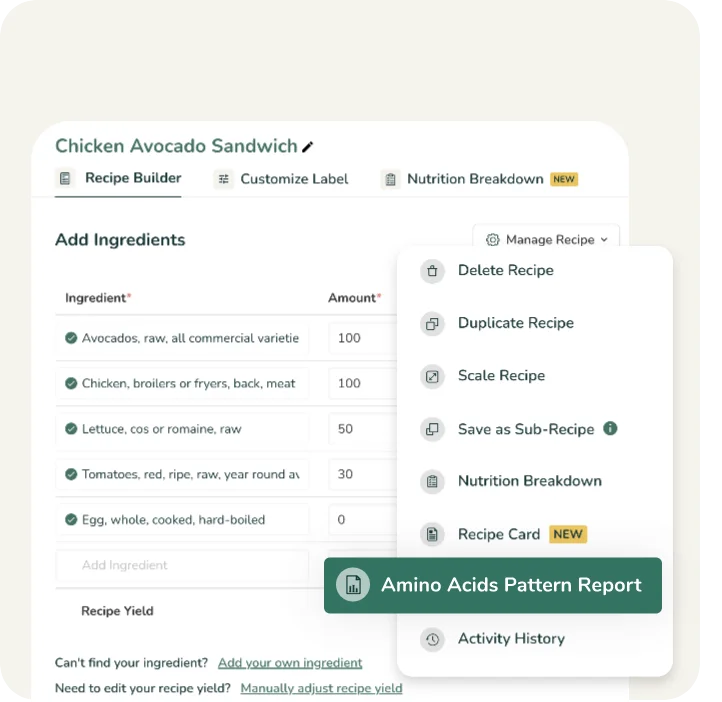
Amino Acids Pattern Report
Compare your recipe’s amino acid pattern against the ideal amino acid pattern as per the Report of Joint FAO/WHO Expert Consultation on Protein Quality Evaluation.
Learn more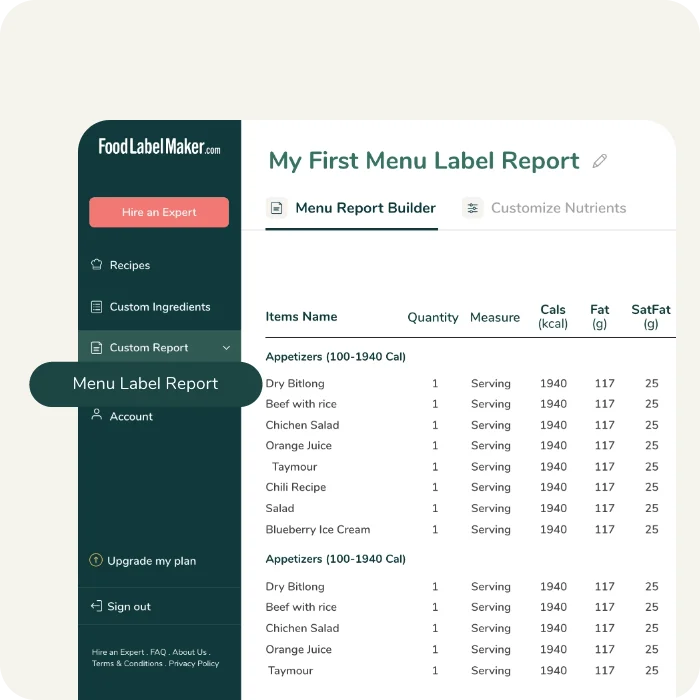
Menu Label Report
See nutritional details of multiple recipes in a single report. Get a full breakdown of your recipes’ macros, vitamins and minerals, and choose to show/hide the nutrients you want to include.
Learn more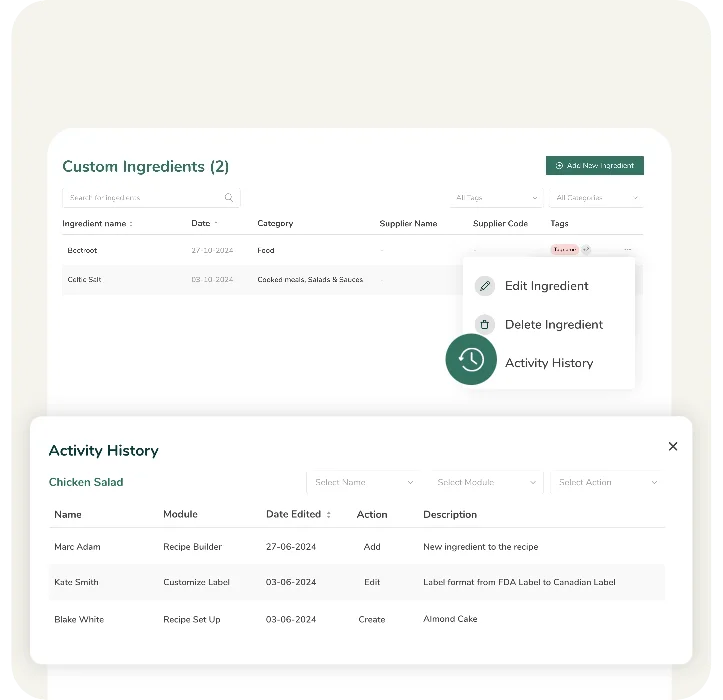
Ingredient & Recipe Change History
Keep a detailed record of all changes to recipes and ingredients, including who made them. Track revisions and modifications for better version control, compliance, and accountability.
Learn more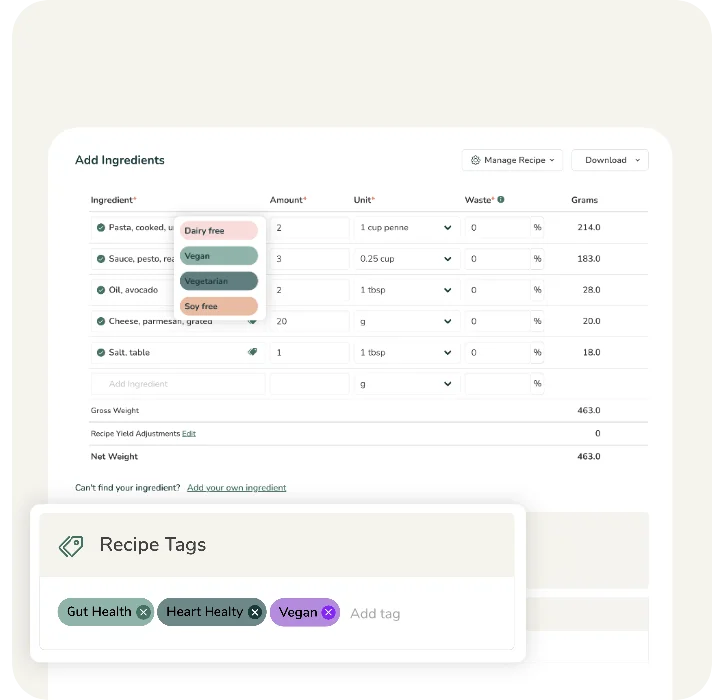
Ingredient & Recipe Tags
Effortlessly organize your ingredients and recipes with tags like Keto, Vegan, or Non-GMO, or create custom ones to suit your needs. Tags make it easy to find, sort, and manage your items efficiently.
Learn moreSee Food Label Maker in Action
Food Label Maker’s Expert Support Services
Hire a Labeling Consultant
Our certified regulatory experts will validate your nutrition facts labels for you, freeing up your team and eliminating any risks of labeling non-compliance.
We audit your food label’s nutritional values, formatting, and ingredient lists against the regulatory standards of major markets like the FDA (U.S), CFIA (Canada), COFEPRIS (Mexico), FSA (U.K), DG SANTE (EU), FSANZ (Australia & New Zealand), and GSO (GCC).
Hire a Nutritionist
Ensure your recipes and nutrition facts labels adhere to strict regulatory standards before you go to market.
Whether you are making specific nutrient claims (e.g., “Low Sodium,” “High Fiber”) or optimizing recipes for specific health profiles, our expert nutritionists validate your nutritional accuracy during formulation and verify that your nutrition analysis fully supports your declarations while complying with NOM-051 or global guidelines.
Supplement Facts Labeling Software
A comprehensive tool that lets you manage ingredients and formulas in one place. Formulate your supplement by adjusting ingredient quantities to meet target claims, while advanced features automatically handle overages, moisture loss, and organic percentage calculations.
Generate NOM-051-compliant Supplement Facts labels, edit ingredient statements and allergen information, and export high-resolution labels in just a few clicks.
Industries That Use Our Nutrition Labeling Software
Our nutrition label software combines accurate nutritional analysis with strict NOM-051 and global compliance. Equipped with multiple features for label and recipe customization, our cloud-based solution adapts to the unique operational needs of any business—whether you run a single kitchen or an enterprise manufacturing plant.
Food Manufacturers
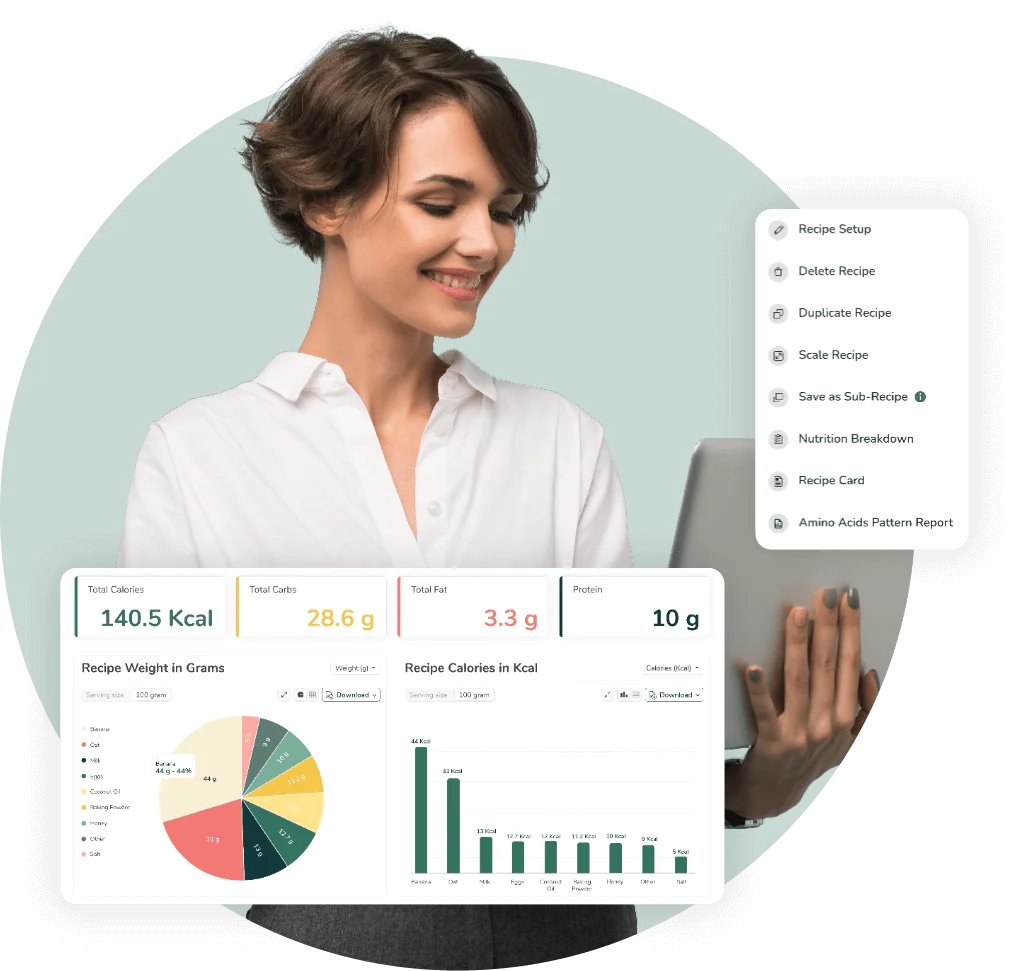
For food manufacturers seeking to streamline operations or scale their business, speed, accuracy and compliance are non-negotiable. Our software integrates recipe costing and nutrition analysis into one workflow, allowing you to generate NOM-051 compliant nutrition labels for hundreds of recipes in an instant. Manage control and ensure consistency across all your packaged goods.

Restaurants & Food Service Businesses
We help restaurants and food service chains calculate precise calorie counts, display allergen disclaimers and consolidate macro profiles for menus and display boards. Build consumer trust by offering transparent allergen disclosures and nutritional data that meets the demands of today’s health-conscious diners.

Hospitality & Hotels
Our software provides centralized and user-friendly nutrition label creation for hotels and hospitality groups, ensuring that every room service meal or grab-and-go item carries a compliant food label. Streamline your operations and reduce any legal risk by managing all your recipe data in one secure place.
Meal Plan Companies
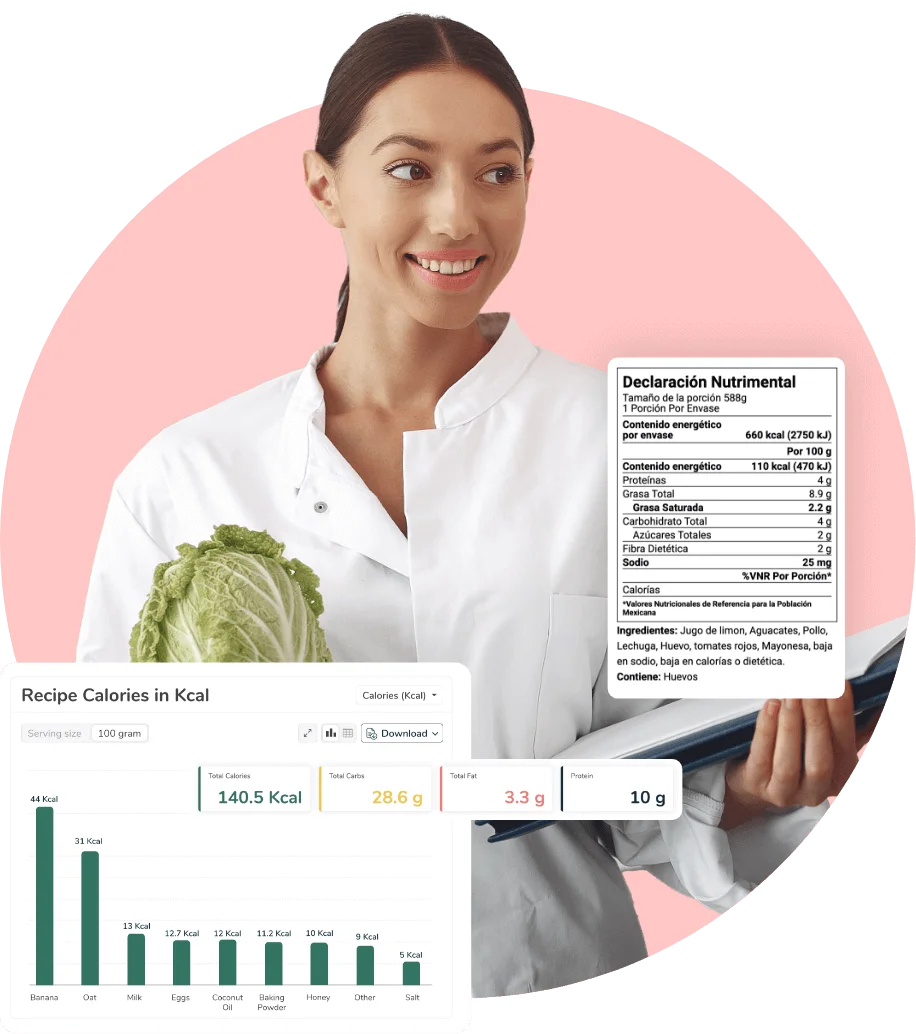
Meal plan companies rely on our software to handle the heavy lifting of allergen declarations, recipe scaling and accurate macro calculations. Whether your menu rotates weekly or caters to specific dietary needs (Vegan, Paleo, etc.), our software automates the nutrition labeling process, ensuring your subscribers get accurate nutrition facts and ingredient lists with every delivery.
Reviews From Our Customers
Practical Compliance Guides &
Food Labeling Tips
Navigate the complex landscape of food regulations with confidence. Explore our blog and regulatory hub for the latest industry updates, practical tips on food label creation, and detailed guides on using our nutrition label software to simplify your compliance process.


Get A Nutrition Labeling Software That Isn’t Complicated
Take control of your recipes, ensure accuracy, and stay compliant—without the hassle. See how Food Label Maker works
Frequently Asked Questions
About Nutrition Labeling Software
01
Why should I use Food Label Maker’s Nutrition Labeling Software instead of other tools or software?
Food Label Maker is a standout software choice because it combines ease of use with verified regulatory accuracy. Unlike generic tools or spreadsheets requiring manual input, our platform offers a comprehensive range of benefits, including but not limited to:
- Purpose-built compliance: We offer direct integration between recipe analysis, label creation, and costing.
- Automated Intelligence: Features like AI-enabled spec sheet parsing and automatic allergen detection save hours of manual data entry.
- Audit-Ready Formats: We provide compliant nutrition label templates for 8 major markets, including NOM-051, the FDA, CFIA, EU, and more, ensuring you are always inspection-ready.
Trusted by over 10,000 businesses, we offer the reliability and expert support that free tools simply cannot match.
Create a free label to experience the software firsthand or view our pricing plans to see which plan might suit your company best.
02
Can I use AI like ChatGPT to create my nutrition facts labels?
While AI is a great tool for brainstorming, it cannot guarantee the mathematical accuracy or regulatory compliance required for food labeling. Generic AI models often “hallucinate” nutrient values and cannot calculate complex factors like moisture loss or fat absorption during cooking. FoodLabelMaker.com uses verified, government-standard databases and built-in compliance engines to ensure your labels meet strict COFEPRIS/NOM-051, FDA, CFIA, or UK/EU regulations – protecting your brand from costly errors or product recalls that “AI-generated” guesses might cause.
We designed our software to be intuitive and easy to use. Create a free label and try it out for yourself.
03
With which regulatory standards and bodies is our Nutrition Labeling Software compliant?
Our software is engineered for global market access, ensuring your products meet the strict standards of major regulatory bodies. We support compliance with:
- FDA (USA) – Including standard, tabular, linear, simplified, and dual column formats.
- CFIA (Canada) – Fully supporting the latest bilingual labeling requirements.
- EU (European Union)- For mandatory 100g/ml declarations.
- UK (FSA) – Supporting front-of-pack (traffic light) labels and back-of-pack label formats.
- FSANZ (Australia & New Zealand) – Automatically generating the mandatory dual-column layout showing both per-serving and per-100g values.
- COFEPRIS (Mexico) – Fully compliant with NOM-051 standards with comprehensive support for Spanish-language labeling as well as bilingual (English/Spanish) formats.
- GSO (GCC / Gulf States) – Meeting strict requirements for bilingual Arabic-English labels and mandatory declarations for added sugars and trans fats.
This multi-jurisdictional support allows you to export compliant labels for different regions from a single recipe profile. Generate a free label today or sign up to see these formats in real time.
04
Can I link my nutrition labels to recipe costing and management tools?
Yes, seamless integration is a core feature of Food Label Maker’s platform.
When you build a recipe for a nutrition label, the software automatically utilizes that same data for recipe costing and management. This means any change to an ingredient quantity instantly updates your nutrition facts and your profit margin calculations simultaneously.
You can also track ingredient costs, set selling prices, and monitor waste—all within the same dashboard used for compliance.
Learn more about our recipe costing and recipe management software.
You can also sign up for free to try our nutritional label generator, recipe costing and recipe management tools.
05
What is the most cost-effective food label maker?
For businesses seeking a balance of professional compliance and affordability, Food Label Maker is a highly cost-effective solution. We offer flexible subscription plans tailored to your scale:
- Essential ($49/month) – The basics to analyze recipes & create regulatory-compliant nutrition labels. Suitable for startups or food businesses new to the food labeling and regulations scene.
- Pro ($99/month) – Advanced features for understanding & optimizing recipes. The most popular plan is suitable for growing businesses with more advanced labeling needs.
- Business ($199/month) – Dynamic reporting, full customization, & premium compliance tools. Suitable for medium-sized businesses and organizations.
- Enterprise (custom pricing) – Top-tier solution, offering world-class scalability, reliability, & support. Suitable for large-scale enterprises that require multiple users to access the dashboard.
By eliminating the need for expensive lab testing (which can cost $800+ per item) and combining labeling, costing, and menu planning into one tool, we provide significant ROI compared to outsourcing or purchasing disjointed software. View our pricing plans or generate a free nutrition label today.
06
Can I make my own Nutrition Facts label?
Yes, but it’s important to ensure accuracy and adherence to specific regulatory guidelines and labeling practices in Mexico, primarily NOM-051-SCFI/SSA1-2010.
To do it correctly, you must:
- Source Data: Gather precise nutrient data for every ingredient and their quantities based on the Sistema Mexicano de Alimentos Equivalentes or lab analysis.
- Calculate Values: Account for recipe yield and moisture loss to ensure accurate nutritional analysis per 100g or 100ml (the mandatory reference unit in Mexico).
- Format Correctly: Adhere to NOM-051-compliant formatting, including specific font sizes, line weights, and the mandatory front-of-pack warning seals (sellos de advertencia) if your product exceeds thresholds for sugars, calories, sodium, or saturated fats.
- Include Mandatory Information: Ensure you include the “Declaración Nutrimental,” listing energy content (in kcal and kJ), proteins, total fats, saturated fats, trans fats, available carbohydrates, sugars, added sugars, fiber, and sodium.
Using software to assist you might be more helpful and will ensure that your label provides accurate and helpful information. Create a free nutrition label to see how Food Label Maker’s tool simplifies compliance, or speak to a labeling expert from our team for further advice.
07
Does COFEPRIS check Nutrition Facts?
Yes, in Mexico, the Federal Commission for the Protection against Sanitary Risk (COFEPRIS), in coordination with PROFECO (the Federal Consumer Protection Agency), is responsible for overseeing and regulating the accuracy of nutrition labels. Using compliant software is critical to ensure your labels meet the rigorous requirements of NOM-051 and to avoid the risk of product seizures or heavy fines.
COFEPRIS and PROFECO set specific guidelines for labeling, which include mandatory formatting, specific nutrient declarations, and the high-visibility front-of-pack warning seals (sellos de advertencia). They actively monitor the market and can take immediate action—including removing products from shelves—if labeling is found to be inaccurate, misleading, or non-compliant.
Don’t risk non-compliance and costly regulatory delays. Create a free nutrition label today or read more about Mexico’s food labeling regulations and the role of COFEPRIS.
08
How do you verify Nutrition Facts?
Verifying Nutrition Facts requires a systematic approach that combines accurate data sourcing, recipe analysis, and regulatory cross-referencing.
To ensure your nutritional values are accurate, follow this process:
- Recipe Analysis: Start by analyzing the recipe or formulation for your food product. Determine the quantities and specific brands of ingredients used.
- Nutrient Calculation: Use reliable sources such as food databases or nutrition label software to calculate the nutritional content of each ingredient. Ensure accuracy by cross-referencing multiple sources.
- Serving Size Determination: Determine the appropriate serving size for your product based on how it is typically consumed. This will be the reference point for the nutritional values listed on the label.
- Accurate Measurements: Ensure precise measurements of ingredients during the manufacturing process. Use calibrated scales and measuring tools for accuracy.
- Lab Testing (Optional): Although not as accurate as ingredient-based software analysis, you could consider sending samples of your product to a laboratory for nutrient analysis. This can be especially useful for complex or unique products.
- Compliance with Regulations: Ensure your Nutrition Facts label adheres to local labeling laws and guidelines, such as those set by the NOM-051 in Mexico. Verify that your label includes all required information and follows the formatting guidelines.
- Consultation with Experts: Consider consulting with nutritionists, dietitians, or food labeling experts to review your Nutrition Facts label and verify its accuracy.
Remember, accurate nutrient analysis is crucial for providing reliable information to consumers, promoting transparency, and complying with regulatory requirements.
Create a free food label using Food Label Maker’s intuitive labeling software. Our tool simplifies compliance, allergen disclosures, nutrient claims, and other mandatory elements of a nutrition label.
09
What is the format for NOM-051 Nutrition Labels?
- Mandatory Front-of-Pack Seals: The most significant feature of the Mexican format is the use of black octagonal warning seals (sellos de advertencia). These alert consumers if a product exceeds thresholds for calories, sugars, saturated fats, trans fats, or sodium.
- Precautionary Legends: Products containing caffeine or sweeteners must include prominent rectangular legends stating: “CONTIENE CAFEÍNA: EVITAR EN NIÑOS” or “CONTIENE EDULCORANTES: NO RECOMENDABLE EN NIÑOS”.
- Standardized Reference (100g/100ml): Unlike the FDA’s focus on “per serving,” NOM-051 requires nutritional information to be declared based on a standard 100g or 100ml unit. This allows consumers to compare different products directly. Energy content must be listed in both kilocalories (kcal) and kilojoules (kJ).
- Added Sugars Declaration: The “Declaración Nutrimental” must explicitly group and list Added Sugars (Azúcares Añadidos) to distinguish them from naturally occurring sugars.
- Specific Nutrient Requirements: Saturated fats, trans fats, and sodium are mandatory. While vitamins and minerals are generally voluntary, they become mandatory if a nutritional claim is made about them.
- Marketing Restrictions: Products that carry any warning seals are prohibited from using characters, animations, celebrities, or toys on the packaging to discourage consumption by children.
These regulations apply to all pre-packaged foods and non-alcoholic beverages in Mexico. While some bulk products or those packaged at the point of sale may be exempt, most commercial goods must comply with these rigorous standards.
Generate a free label to see our tool in action.
10
Why use a nutrition facts label maker?
Using a nutrition facts label maker is the most convenient and cost-effective way to ensure NOM-051 compliance, nutrition label accuracy, and save time spent on tedious label calculations or nutritional analysis.
Specialized software offers:
- Convenience: Nutrition Facts Label makers provide a user-friendly and efficient way to create professional-looking Nutrition Facts Labels. They often have pre-designed templates and automated calculations based on NOM-051 regulations, making the nutrition labeling process quicker and easier.
- Accuracy: Nutrition facts label makers are typically equipped with comprehensive databases of ingredients and heavily researched nutritional information. This helps ensure accurate calculations and eliminates the risk of manual errors.
- Compliance: Nutrition Facts Label makers are designed to adhere to NOM-051 labeling regulations and guidelines. They can automatically generate labels that meet the required format, content, and presentation, reducing the chance of non-compliance.
- Customization: Many nutrition facts label makers allow for customization, such as adding company logos, changing fonts or colors, and adjusting label sizes. This enables businesses to create labels that align with their branding and product packaging.
- Time and Cost Savings: By automating the label creation process, label makers save time and effort compared to manually designing and calculating nutrition labels. They also help avoid potential costs associated with label errors or non-compliance.
- Professional Appearance: Label makers produce high-quality labels that look polished and consistent. This can enhance the overall presentation of your product and instill consumer trust and confidence.
However, it is important to note that while nutrition facts label makers can simplify the label creation process, it is still essential to ensure the accuracy of the information input into the software and review the generated labels for any potential errors or inconsistencies.
Create a free nutrition label instantly with Food Label Maker’s software and see why businesses in the food industry rely on our tool for daily label creation.
11
What is the best nutrition facts label maker?
The best nutrition facts label maker combines accuracy, ease of use, and strict adherence to global regulatory labeling standards. Modern nutrition labeling solutions are integrating AI-powered features to eliminate manual data entry errors and ensure total alignment with ever-changing global regulations.
Food Label Maker is an ideal nutrition label maker for food companies because it is built by certified nutritionists and automatically handles complex calculations.
Key advantages include:
- Verified Accuracy: Access a continuously updated database of 500,000+ ingredients.
- Global Compliance: Generate labels for Mexico (NOM-051), the US (FDA), Canada (CFIA), EU, UK, and more.
- Scalability: Features like API integration and recipe management support businesses as they grow.
- AI-Enabled Automation: Automate complex tasks, from identifying allergens to suggesting claims, all while minimizing human error.
Ready to take control of your product formulations? Generate a free nutrition label with Food Label Maker and experience the best nutrition analysis software on the market.